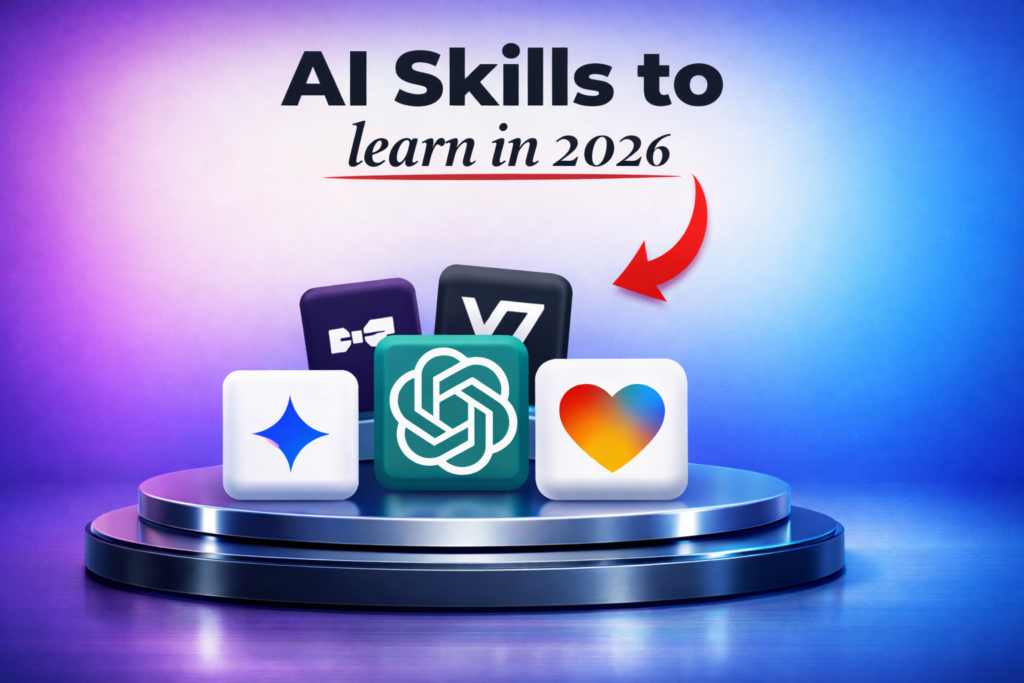
ℹ️ Quick Answer: The AI skills that matter most in 2026 are prompting, grounding (stopping hallucinations), multi-model comparison, vibe coding, no-code automation, AI-assisted writing, data analysis, and building AI agents. These eight skills help regular people work faster and build things that used to require specialized knowledge.
📋 WHAT’S INSIDE
- Prompting: The AI Skill That Unlocks Everything Else
- Grounding: Stopping AI From Making Stuff Up
- The Multi-Model Approach: Using More Than One AI
- Vibe Coding: Building Apps Without Being a Developer
- No-Code Automation: Connecting Your Tools
- AI-Assisted Writing: Extraction Over Generation
- AI Data Analysis: Finding Patterns in Messy Information
- Building AI Agents: Automation That Thinks
- What These AI Skills 2026 Won’t Do
- How to Get Started With AI Skills
I’ve been using AI for coding and documentation for a while now. It’s useful. But when I looked at what other people were doing with these tools, I realized I was only scratching the surface. So I went digging through YouTube tutorials, tech blogs, and creator breakdowns to figure out what AI skills 2026 are actually worth learning.
Not the hype. Not the theoretical stuff. The skills that regular people are using right now to work faster, automate boring tasks, and build things they couldn’t build before.
Here are the eight that came up over and over again.
1. Prompting: The AI Skill That Unlocks Everything Else
Clear prompting using frameworks like TCREI (Task, Context, References, Evaluate, Iterate) is the foundation skill for getting useful results from ChatGPT, Claude, or Gemini, and separates people who get vague answers from those who get exactly what they need.
This one sounds obvious. Everyone knows you have to “prompt” AI. But most people are terrible at it. They type vague requests, get vague answers, and blame the tool.
Good prompting is a skill, and it’s the foundation for all the other AI skills 2026 demands. If you can’t communicate clearly with an AI, nothing else on this list works.
One framework that keeps coming up is TCREI.
- Task. Define exactly what you want
- Context. Give background information
- References. Provide examples or data
- Evaluate. Check the output
- Iterate. Refine until it’s right
The people who get the best results from ChatGPT, Claude, or Gemini aren’t smarter. They just give clearer instructions. Adding context (“I’m writing for non-technical readers”) and examples (“here’s a similar article I liked”) immediately improves outputs.
2. Grounding: Stopping AI From Making Stuff Up
Grounding means forcing AI to work from real documents you upload rather than its training data, using techniques like including source PDFs, adding “only use provided sources” instructions, and asking the AI to cite specific passages to eliminate hallucinated facts and fake citations.
AI hallucinates. It confidently invents facts, cites fake sources, and makes up statistics. This is the single biggest problem with using AI for anything that matters.
Grounding is the skill of forcing AI to work from real information instead of its training data. Instead of asking “What are the best practices for X?” you upload actual documentation, paste in real data, or link to specific sources.
Practical techniques.
- Upload PDFs or documents directly instead of asking about topics from memory
- Include prompts like “Only use information from the provided sources” or “Say ‘I don’t know’ if you’re not sure”
- Ask the AI to cite specific passages from what you gave it
I’ve seen people create entire research reports by uploading 10 source documents and having AI synthesize them. The AI isn’t guessing. It’s working from material you control.
3. The Multi-Model Approach: Using More Than One AI
Running the same prompt through ChatGPT, Claude, and Gemini simultaneously (the “LLM Council” approach) catches blind spots that any single model misses, and takes only five extra minutes for high-stakes work like published content or business decisions.
This was new to me. Instead of relying on one AI for important decisions, some people run the same prompt through multiple models and compare results.
They call it the “LLM Council” approach. You ask ChatGPT, Claude, and Gemini the same question. If all three agree, you’re probably safe. If they disagree, you dig deeper. You can even have one model critique another’s answer.
Why this matters. Every AI has blind spots. Claude might be better at coding while ChatGPT handles creative writing better. Gemini might catch something the others miss. For high-stakes work, checking multiple sources is just smart.
I started doing this for anything I’m going to publish or share with others. It takes five extra minutes and catches errors that would have embarrassed me.
4. Vibe Coding: Building Apps Without Being a Developer
Vibe coding lets non-programmers build working software by describing what they want in plain English, using platforms like Replit, Cursor, and Lovable (which just hit a $6.6 billion valuation) that translate natural language into functional code through an iterative describe-test-fix loop.
This one blew my mind. “Vibe coding” is what people call using natural language to build actual working software.
You describe what you want in plain English. The AI writes the code. You test it, describe what’s wrong, and the AI fixes it. Repeat until it works.
Tools like Replit, Cursor, and Lovable are making this accessible to people who’ve never written a line of code. Lovable just hit a $6.6 billion valuation because millions of people are building apps this way.
What you can build with vibe coding.
- Custom tools for your specific workflow
- Simple web apps and calculators
- Prototypes to test ideas before hiring a developer
- Automations that connect different services
For developers like me, it’s a speed multiplier. For non-developers, it’s access to building things that used to require hiring someone.

5. No-Code Automation: Connecting Your Tools
Platforms like Make.com, Zapier, and n8n let you connect tools together to eliminate repetitive tasks. One creator automated his entire YouTube publishing workflow (thumbnails, titles, descriptions, scheduling) and saves 4 hours per video.
Automation is about eliminating repetitive tasks by connecting tools together. AI makes this dramatically easier because you can describe what you want instead of learning complex interfaces.
The workflow. Map out a manual task you do repeatedly. Identify the steps. Connect the tools using platforms like Make, Zapier, or n8n.
Examples that actually save time.
- New email arrives, AI summarizes it, summary posted to Slack
- Customer fills out form, AI qualifies the lead, adds to CRM with notes
- Meeting recording finishes, AI generates transcript and action items, sends to attendees
The best automations target tasks that waste time but don’t need human judgment. One creator I follow automated his entire video publishing workflow. Thumbnail generation, title suggestions, description writing, scheduling. He estimates it saves 4 hours per video.

6. AI-Assisted Writing: Extraction Over Generation
The best AI writing results come from extraction (feeding AI your meeting transcripts, drafts, or research and asking it to reorganize and distill) rather than generation from scratch, because extraction preserves your voice and ensures accuracy.
A distinction that changed how I think about AI writing. Instead of asking AI to generate content from nothing, the best results come from having AI extract and reorganize information you already have.
Say you recorded a 30-minute meeting. Don’t ask AI to “write meeting notes.” Give it the transcript and ask it to pull out specific things. Decisions made, action items, questions that need follow-up.
Or if you wrote a long blog post, ask AI to extract the key points for a Twitter thread. The AI isn’t creating. It’s reformatting and distilling.
This approach gives you.
- Content that sounds like you (because it started with your words)
- Accuracy (because it’s pulling from real sources)
- Consistency across formats
The Start Here guide covers more of this. But the key insight is that AI is better at transforming your ideas than inventing new ones.
7. AI Data Analysis: Finding Patterns in Messy Information
ChatGPT, Claude, and Gemini can all analyze uploaded spreadsheets through plain English questions like “which customers spent the most last quarter,” making data analysis accessible to small business owners and marketers who don’t know Excel formulas or SQL.
Data analysis used to require knowing Excel formulas, SQL queries, or programming languages. Now you can upload a spreadsheet and ask questions in plain English.
“Which customers spent the most last quarter?” “What’s the trend in these numbers?” “Are there any outliers I should investigate?”
ChatGPT, Claude, and Gemini can all handle this. You upload your data, describe what you’re looking for, and they generate insights and visualizations.
Where this gets valuable.
- Small business owners analyzing sales data without hiring an analyst
- Marketers finding patterns in campaign performance
- Anyone with a messy spreadsheet who needs to make sense of it
The skill isn’t just uploading data. It’s knowing what questions to ask and how to verify the answers make sense.
8. Building AI Agents: Automation That Thinks
AI agents go beyond chatbots by pursuing goals autonomously through multi-step tasks. Gartner predicts 40% of new apps will have agent capability by 2026, with real-world examples including 24/7 sales qualification agents, research agents, and customer support agents that escalate complex cases to humans.
This is the most advanced skill on the list, but it’s becoming more accessible every month.
An AI agent is more than a chatbot. It’s a system that can pursue a goal autonomously. Instead of answering one question, it can complete multi-step tasks, make decisions, and take actions.
Real examples being built right now.
- Sales agents that qualify leads 24/7, asking follow-up questions and scheduling calls
- Research agents that find, summarize, and organize information on a topic
- Customer support agents that handle common issues and escalate complex ones
AI predictions for 2026 suggest that 40% of new apps will have some kind of agent capability. Companies are moving from “AI as a tool” to “AI as a worker.”
You don’t need to build enterprise-level agents to benefit. Understanding the concept helps you recognize opportunities where autonomous AI could handle tasks you’re currently doing manually.
What These AI Skills 2026 Won’t Do
AI still hallucinates even with grounding, every skill on this list has a real learning curve, specific tools change every few months (though the underlying skills transfer), and AI can’t replace human judgment about what to work on.
AI still makes mistakes. Even with grounding and multi-model approaches, errors happen. You need to verify anything important.
These skills have a learning curve. Prompting looks easy until you try to get consistent results. Automation sounds simple until you’re debugging why your workflow broke at 3am.
Tools change constantly. The specific platforms I mentioned might be different in six months. The skills transfer. The exact buttons don’t.
AI can’t replace judgment. It can help you work faster, but knowing what to work on is still your job. The AI layoffs happening in 2025 show that the people keeping their jobs are the ones who use AI as a tool, not the ones who think it can do everything.
How to Get Started With AI Skills
Pick one skill that matches something you already do, then apply it to real work (not tutorials or courses). Start with AI-assisted writing if you write a lot, data analysis if you work with spreadsheets, or automation if you have repetitive tasks.
You don’t need to learn all eight at once. Pick one that matches something you already do.
If you write a lot, start with AI-assisted writing. If you work with data, try uploading a spreadsheet to ChatGPT. If you have repetitive tasks, explore automation with Zapier or Make.com.
The fastest path is applying these to real work. Not tutorials. Not courses. Actual problems you’re trying to solve.
I started with coding and documentation. Now I’m learning automation. Next will probably be agents. Each skill builds on the previous ones.
The AI year in review showed that 2025 was when regular people stopped just hearing about AI and started actually using it. 2026 is when skills start to separate those who can do more from those who can’t.
Common Questions About AI Skills 2026
Which AI skill should I learn first?
Prompting. Everything else depends on it. If you can’t communicate clearly with AI, the other skills won’t work. Spend a week practicing structured prompts with frameworks like TCREI before moving on.
Do I need to know coding for these AI skills?
Not for most of them. Prompting, grounding, multi-model comparison, AI writing, and data analysis require zero coding. Vibe coding is specifically designed for non-programmers. Automation can be done with no-code tools like Zapier and Make.com. Only agent building might eventually require some technical knowledge.
How long does it take to get good at AI skills?
Basic competence comes fast. You can get useful results from prompting within a few hours of practice. Automation might take a weekend to set up your first workflow. Mastery takes longer, like any skill. The difference is AI lets you start getting value immediately while you’re still learning.
Will these skills still be relevant in a few years?
The specific tools will change. The underlying skills transfer. Knowing how to communicate with AI, verify outputs, and build workflows will matter regardless of which model or platform dominates. That’s why I focused on meta-skills rather than specific products.
Keep Learning
These eight skills aren’t the complete picture, but they’re the ones that keep coming up across different sources. The people who are getting real results with AI aren’t necessarily the most technical. They’re the ones who took time to learn how these tools actually work.
Related reading: AI Predictions for 2026 | AI Guides | New to AI? Start here
WHO WROTE THIS
Moses Smith. I write Everyday AI for people who aren’t engineers. I go try the tools, then tell you honestly whether they were worth it. Sometimes the answer is no, and that’s kind of the point.
This blog is free and has no ads. If it saved you some time, you can buy me a coffee.