ℹ️ Quick Answer: AI food tracking apps like SnapCalorie, Cal AI, and Foodvisor use photo recognition to log your meals in seconds. Snap a picture of your plate and get instant calorie and macro breakdowns without searching databases or weighing portions. They’re 80-85% accurate, and tracking you actually stick with beats perfect tracking you abandon after a week.
📋 WHAT’S INSIDE
- Why Manual Food Logging Fails Most People
- How AI Food Tracking Apps Actually Work
- Best AI Food Tracking Apps
- Setting Up for Minimal Effort
- Getting Better Accuracy
- Tools That Help
- What AI Food Tracking Gets Wrong
- Using AI Insights to Change How You Eat
- Common Questions About AI Food Tracking Apps
- Getting Started This Week
Here’s why I got excited about this.
I used MyFitnessPal and Lose It for years to track calories. I had real success with them. I lost weight, learned what I was actually eating, and got better at eyeballing portions.
But it was tedious. I’d weigh my oatmeal in the morning. Measure the almond milk. Log every ingredient in a homemade salad. It worked, but it felt like a part-time job.
The real problem was eating out. At restaurants, I’d spend five minutes searching for something close to what I ordered. Half the time I’d just guess. Sometimes I’d give up entirely and promise myself I’d “estimate it later.” (I never did.)
That’s why the idea of AI that can just snap a photo and give you a decent estimate is so appealing. Not perfect accuracy, but tracking you actually stick with.
This is Part 12 of our 20-part series on how AI can improve your life in 2026. See all parts
Why Manual Food Logging Fails Most People
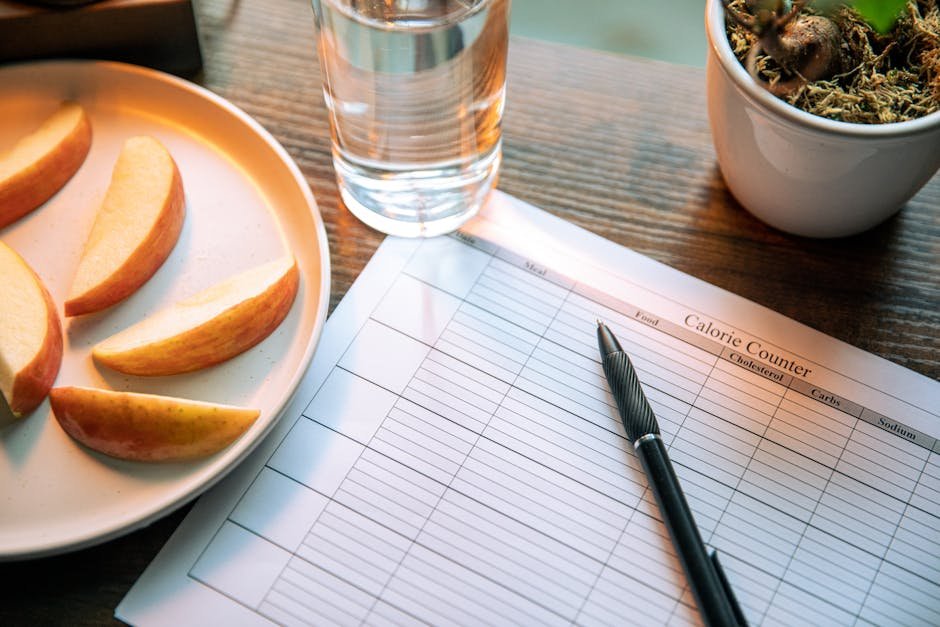
Manual calorie tracking takes 10-15 minutes per day, and most people quit within two weeks because the friction of searching databases and weighing portions turns every meal into a chore.
Traditional calorie tracking requires searching for every food item in a database, estimating or measuring portion sizes, adding each ingredient separately for homemade meals, and doing this three to five times a day, every day.
The average person spends 10-15 minutes per day on manual food logging when doing it properly. That’s nearly two hours per week just entering data about what you ate. No wonder most people abandon calorie tracking within two weeks.
The real cost isn’t just time. It’s the mental load. Every meal becomes a decision point. Do I log this now or later? Is this worth the effort? This friction compounds until tracking feels like a burden rather than a tool.
ℹ️ Reality Check: When you stop tracking, you lose the awareness that was actually helping you make better choices. That’s where AI food tracking apps change the equation.
How AI Food Tracking Apps Actually Work
AI food tracking apps use computer vision to identify foods from a photo, estimate portion sizes, and match items to a nutrition database, returning calorie and macro breakdowns in seconds.
AI food recognition uses computer vision to identify what’s on your plate. You take a photo, and the app’s neural network analyzes the image to detect individual food items, estimate portion sizes, and match everything to a nutrition database.
The technology has gotten surprisingly good at recognizing common foods. A plate with chicken, rice, and broccoli? The AI identifies each component separately. A sandwich? It can often detect the bread type, protein, and toppings. Some apps even recognize restaurant dishes by matching your photo against known menu items.
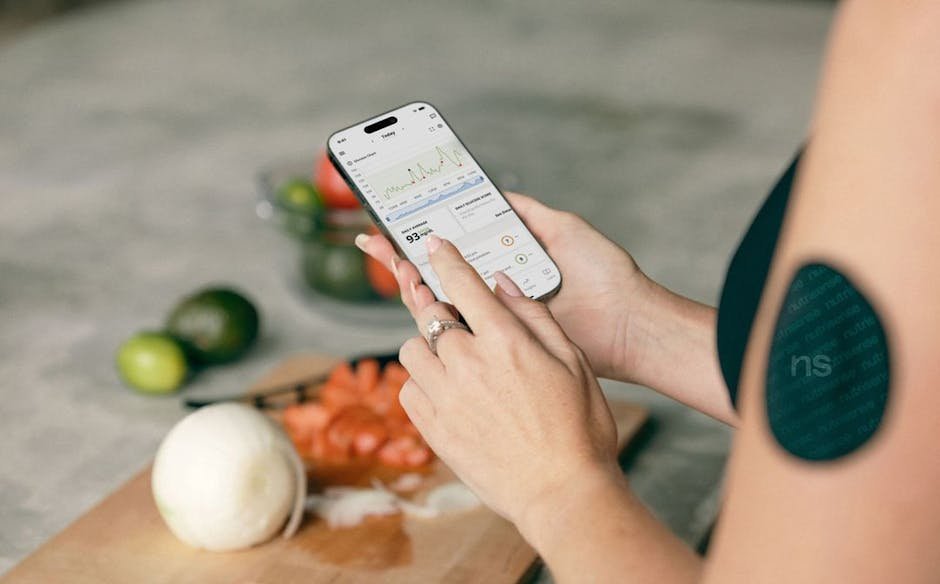
Beyond photos, many AI food tracking apps now accept voice logging. You can say “I had a turkey sandwich with cheese and a side salad” and the app parses that into individual items. Some use text descriptions too, so you can type quick notes instead of searching databases.
✅ The Bottom Line: If traditional logging is 95% accurate but you quit after a week, and AI logging is 85% accurate but you actually stick with it, the AI approach wins.
Best AI Food Tracking Apps
SnapCalorie, Cal AI, Foodvisor, and MyFitnessPal (with its newer AI meal scan feature) are the top four apps for photo-based nutrition tracking in 2026.
Several apps have emerged as leaders in AI-powered nutrition tracking. Here’s what I found when researching the options.
SnapCalorie
SnapCalorie focuses specifically on photo-based calorie tracking. Snap a picture, get calorie and macro estimates within seconds. The app uses depth sensing on newer iPhones to better estimate portion sizes. Designed for people who want the fastest possible logging without extra features.
Cal AI
Cal AI combines photo recognition with a conversational interface. Beyond photos, you can describe meals in natural language. The app learns your eating patterns and can suggest when you might have missed logging a meal.
Foodvisor
Foodvisor has been in the AI food recognition space for years with a large database including many international cuisines. Offers both photo logging and traditional search, making it a good hybrid option.
MyFitnessPal (with AI Features)
MyFitnessPal has added AI meal scanning to its massive 14-million-item food database. If you’re familiar with MyFitnessPal’s traditional logging, the AI photo feature feels like a natural upgrade. Quick photo logging when it works, extensive database as fallback.
Setting Up for Minimal Effort
Set your calorie target once during setup, enable meal-time reminders, and save your regular meals so repeat logging takes one tap instead of a new photo every time.
The key to making AI food tracking stick is reducing friction from the start.
Start with your goals. Most apps ask for your calorie target based on weight, activity level, and goals. Do this once during setup. Don’t obsess over the exact number. You can adjust later.
Enable notifications. Set meal reminders for your typical eating times. A simple “Did you eat lunch?” prompt at 1pm is often enough to trigger the 5-second habit of snapping a photo.
Save frequent meals. Most AI tracking apps let you save meals you eat regularly. Same breakfast every day? Save it once and reuse it.
⚠️ Pro Tip: Start with just lunch. Don’t try to track everything immediately. Pick one meal per day for the first week. Once that becomes automatic, add another. Building the habit matters more than capturing every calorie from day one.

Getting Better Accuracy
Good lighting, a top-down photo angle, and spending five seconds correcting obvious portion errors after AI recognition will get you close to 90% accuracy without the manual logging burden.
AI food recognition isn’t perfect, but you can improve accuracy with a few simple practices.
Take better photos. Good lighting and a clear top-down angle help the AI identify foods correctly. Make sure all items are visible. Include a fork or your hand for scale if portions are unusual.
Make quick adjustments. After the AI identifies your meal, take 5 seconds to fix obvious errors. If it thinks you had a large portion but you actually had small, tap to change it. Much faster than manual logging but improves accuracy.

Focus on high-impact items. The AI might miss that you added olive oil to your salad or cream to your coffee. These calorie-dense additions are worth manually adjusting. A plain salad vs. one with dressing and cheese can differ by 300+ calories.
Use voice for complex meals. When photo recognition struggles with mixed dishes, try voice logging. Saying “homemade stir fry with chicken, broccoli, and rice” often works better than a photo of everything mixed together.
Tools That Help
A digital food scale for occasional portion checks and meal prep containers for batch cooking are the two best accessories to pair with any AI tracking app.
While AI tracking reduces the need for constant weighing, a few kitchen tools help calibrate your portion awareness.
The Etekcity Food Kitchen Scale is the #1 bestseller for good reason. You don’t need to weigh everything daily, but occasionally weighing rice, pasta, or meat helps you understand what 4 oz actually looks like. That knowledge makes your AI estimates more accurate.
The Kitch’nMore 38oz Meal Prep Containers are great for batch cooking. Prep meals in advance, weigh and log once, then just snap a photo each day knowing the nutrition is already accurate.
The Amazon Basics Glass Food Storage Containers work well for leftovers. Clear sides make it easy to photograph food for logging.
What AI Food Tracking Gets Wrong
AI food tracking struggles most with mixed dishes like casseroles and stews, hidden calories from cooking oils and sauces, and portion sizes estimated from 2D photos without depth sensing.
I want to be honest about limitations because overpromising leads to frustration.
⚠️ Accuracy Warning: Mixed dishes like casseroles, stews, or stir-fries challenge AI recognition. The app might identify it as “mixed dish” and give a rough estimate, but accuracy drops compared to simple meals with distinct items.
Portion estimation varies. Without depth sensing, the AI guesses portion sizes from a 2D image. Two plates of pasta can look similar but contain very different amounts.
Hidden calories get missed. Cooking oils, butter, sauces, and dressings often don’t show up clearly in photos. The AI might correctly identify grilled chicken but miss that it was cooked in two tablespoons of butter.
Regional and homemade foods struggle. If you eat dishes from cuisines not well-represented in the training data, or unique family recipes, accuracy will be lower.
For strict dieters or people with medical conditions requiring precise tracking, AI logging might work best as a supplement to traditional methods. For everyone else, the convenience usually outweighs the accuracy tradeoff.
Using AI Insights to Change How You Eat
The biggest value from AI food tracking is pattern discovery. Most people find they underestimate weekday snacking, overestimate protein intake, and miss calorie-dense additions like dressings and cooking oils.
The real value of tracking isn’t the numbers themselves. It’s the awareness and patterns you discover.
Weekly averages matter more than daily totals. You might eat 2,500 calories on Saturday but 1,800 on weekdays. Your weekly average gives a more accurate picture than obsessing over individual days.
Protein is usually the gap. Many people discover they’re consistently getting less protein than they thought. The data helps you make targeted changes (adding Greek yogurt at breakfast, for example) rather than vague “eat healthier” goals.
ℹ️ Eye-Opener: That “healthy” salad from Sweetgreen? Probably 600-800 calories with the dressing and toppings. AI tracking makes these invisible calories visible.
Common Questions About AI Food Tracking Apps
Are AI food tracking apps accurate enough for weight loss?
For most people, yes. Studies show that even rough calorie awareness leads to better food choices. If AI tracking is 80-85% accurate and you stick with it for months, you’ll see better results than 95% accurate manual tracking that you abandon after a week. Consistency beats precision.
Do I still need a food scale with AI food tracking apps?
Not necessarily. It helps to occasionally weigh foods like rice, pasta, and meat so you can calibrate your sense of portions and verify the AI’s estimates. But daily weighing isn’t required. Use a scale as a periodic reality check, not a constant requirement.
Is my food data private with these apps?
It depends on the app. Read the privacy policy before signing up. Some apps store your photos on their servers to improve their AI, others process everything locally on your device. If data privacy concerns you, look for apps that offer local processing or clear data deletion options.
Can AI food tracking become obsessive?
Any tracking can become unhealthy if you develop anxiety around untracked meals or rigid rules. The advantage of AI tracking is that it’s low-effort enough to use casually. If you find yourself stressed about tracking, take a break. The goal is awareness, not obsession.
Getting Started This Week
Download SnapCalorie or Cal AI, photograph every meal for two days without changing your eating habits, then review your weekly calorie and protein averages to find your biggest adjustment opportunity.
Here’s a simple plan to try AI food tracking without overwhelming yourself.
Days 1-2. Download one of the apps above. Set up your profile and calorie goal. Take photos of everything you eat without judgment. Don’t try to change anything yet. Just observe.
Days 3-5. Review what you’ve logged. Notice any patterns? Are you eating more or less than you thought? Pick one small adjustment.
Days 6-7. Look at your weekly average. Decide if AI tracking is working for you. If the app isn’t clicking, try a different one. The best app is the one you’ll actually use.
The goal isn’t perfect tracking. It’s sustainable awareness that helps you make better choices over time.
Part 11: AI Sleep Tracking | All Parts | Part 13: AI Wearable Health Insights
AI food tracking won’t replace discipline, but it removes the biggest excuse most of us have for not tracking at all.
Related reading: Get Dynamic AI Workout Recommendations | Analyze Your Sleep Patterns with AI | AI Powered Meal Planning: What’s Actually Working | New to AI? Start here
This post contains affiliate links. If you buy something through these links, I may earn a small commission at no extra cost to you.
WHO WROTE THIS
Moses Smith. I write Everyday AI for people who aren’t engineers. I go try the tools, then tell you honestly whether they were worth it. Sometimes the answer is no, and that’s kind of the point.
This blog is free and has no ads. If it saved you some time, you can buy me a coffee.