
ℹ️ Quick Answer: Learning to spot AI fake images comes down to five visual red flags: malformed hands, plastic-looking skin, inconsistent lighting, garbled background text, and dead eyes with too-perfect teeth. Free tools like Google Reverse Image Search, SynthID, TinEye, and Hive Moderation can help verify suspicious photos before you share them.
📋 WHAT’S INSIDE
- Why Learning to Spot AI Fake Images Matters
- The 5 Visual Red Flags to Spot AI Fake Images
- Free Tools to Spot AI Fake Images
- The Source Check: Who Posted This?
- My 10-Second Rule Before Sharing
- Frequently Asked Questions
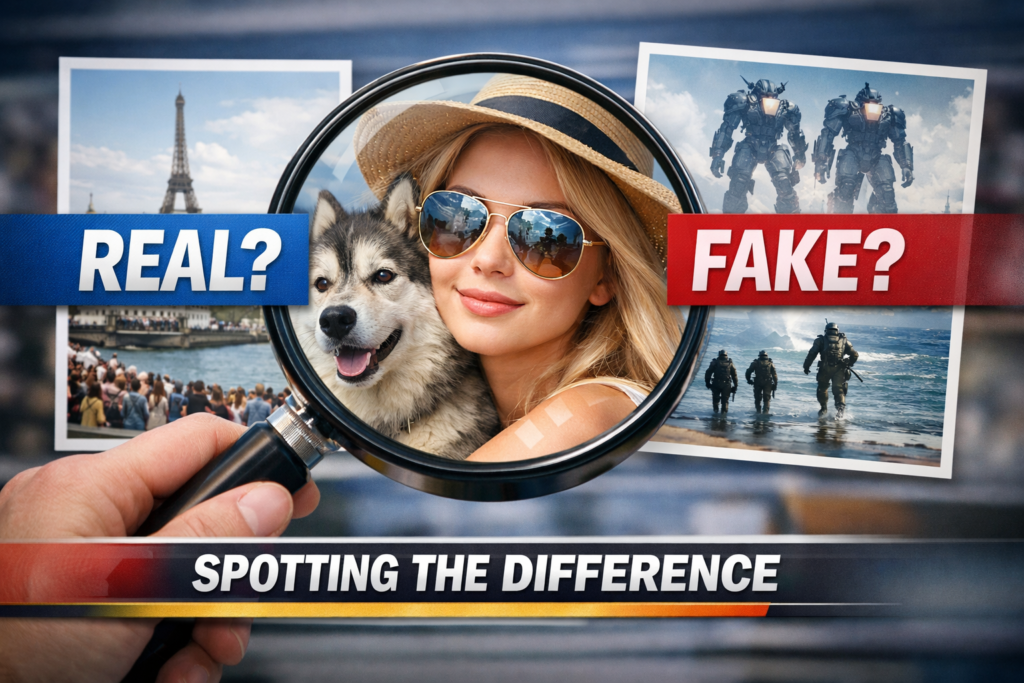
Did you see those wild photos of Venezuelan President Nicolas Maduro that went viral last week? The ones showing him being escorted by DEA agents on an airfield? They were everywhere for about 48 hours, sparking confusion and getting shared by public officials with millions of followers.
Every single one was completely fake, created by AI image generators like Midjourney, DALL-E 3, and Stable Diffusion. We covered the specifics in our recent post on the Maduro fake images, but that event was a perfect reminder. In 2026, seeing isn’t believing.
So I want to give you the skills to spot AI fake images for yourself. You don’t need to be a tech genius. You just need to know what to look for.
Why Learning to Spot AI Fake Images Matters
AI-generated images are used to spread political misinformation, create fake celebrity scandals, push financial scams, and erode trust in visual media, making detection a basic digital literacy skill.
Fake images go way beyond funny or bizarre pictures of world leaders. They’re used to spread political misinformation, create fake celebrity scandals, push financial scams, and generally erode our trust in what we see online.
When you accidentally share a fake image, you’re lending your credibility to a lie. You’re helping the person who made it achieve their goal, whether that’s to get clicks, sow chaos, or trick your aunt into buying fake cryptocurrency.
The 5 Visual Red Flags to Spot AI Fake Images
The five most reliable tells in AI-generated images are malformed hands and fingers, unnaturally smooth skin texture, inconsistent lighting and shadows, garbled background text, and “dead” eyes with too-perfect teeth.
AI generators like Midjourney, DALL-E 3, and Stable Diffusion are getting extremely good, but they still make consistent mistakes. They often struggle with the same things a human artist finds difficult to draw. Once you learn these tells, they become surprisingly easy to find.
1. The Hands and Fingers Give It Away
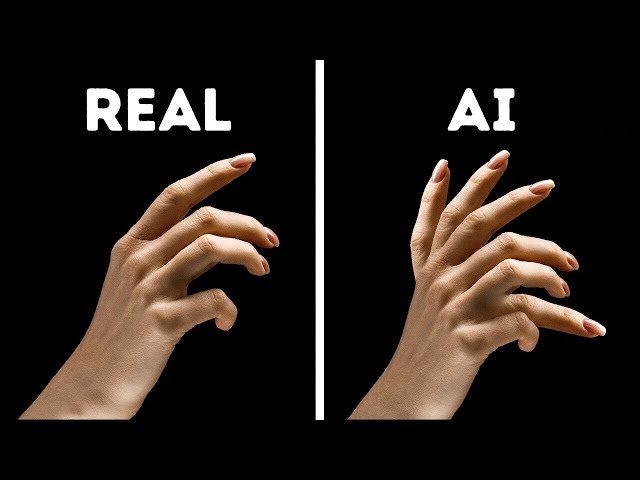
This is the classic, number-one tell. AI tools have a famously difficult time creating human hands. Hands are complex with many small bones, joints, and millions of possible positions.
Look for these signs.
- Wrong number of fingers. You’ll see six-fingered hands all the time. Sometimes seven. Count them.
- Fingers that blend or melt together. They might look like a waxy, fused mess.
- Impossible positions. Fingers bending backward or twisting in ways a real hand just can’t.
- Unnaturally long, spindly fingers, like something out of a horror movie.
If the hands in an image are conveniently hidden (in pockets, behind their back, or cropped out), that in itself is a small red flag.
2. Weird Skin Texture
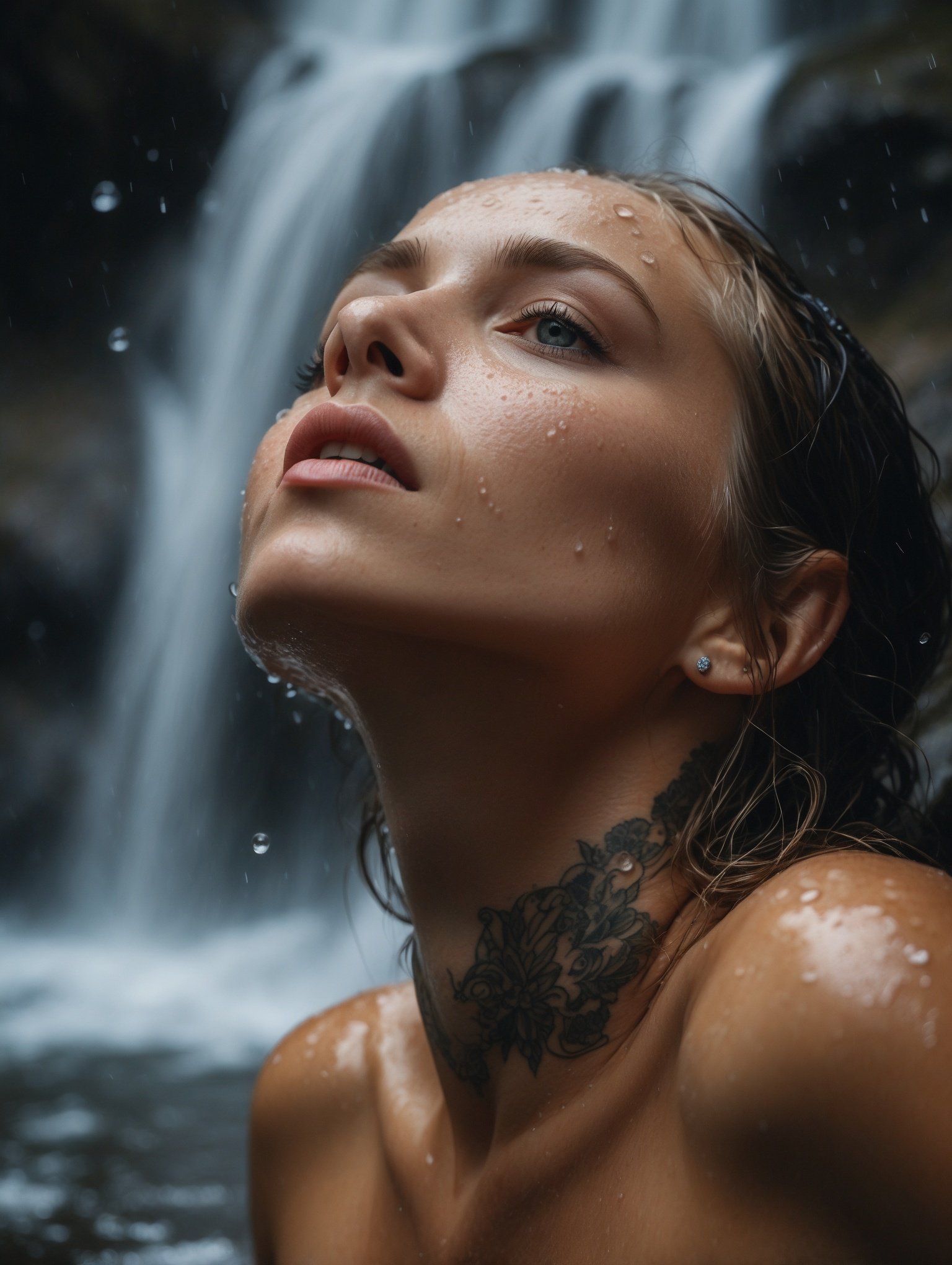
Real human skin has texture. It has pores, tiny hairs, wrinkles, and imperfections. AI-generated skin often looks unnervingly perfect.
Look for these signs.
- “Plastic” or “waxy” skin. It looks like a department store mannequin, with no pores or natural blemishes.
- Overly smooth, airbrushed look, especially on older individuals where you’d expect some lines or sun spots.
- Inconsistent aging. An elderly person’s face shape but the skin of a 20-year-old.
3. Inconsistent Lighting and Shadows
This is subtle but AI often gets it wrong. In the real world, if there’s one light source (like the sun), all shadows should fall in the same direction. AI generators often mash different elements together without understanding how a single light source should affect the entire scene.
Look for these signs.
- Shadows going in different directions. Check the shadow from a person’s nose, then look at shadows from nearby objects. Do they match?
- Objects with no shadow at all. A person standing in bright sunlight should cast a shadow.
- Weird highlights. Bright light reflecting off someone’s cheek that doesn’t have a source.
4. Bizarre Backgrounds and Gibberish Text
AI focuses most of its computing power on the main subject. The background is often an afterthought, and it’s where things can get really weird.
Look for these signs.
- Melted or warped objects. Lamp posts that bend, architectural details that blur into a strange mess.
- Random, illogical elements. Half a person in the background, a car with three wheels, a tree growing out of a building.
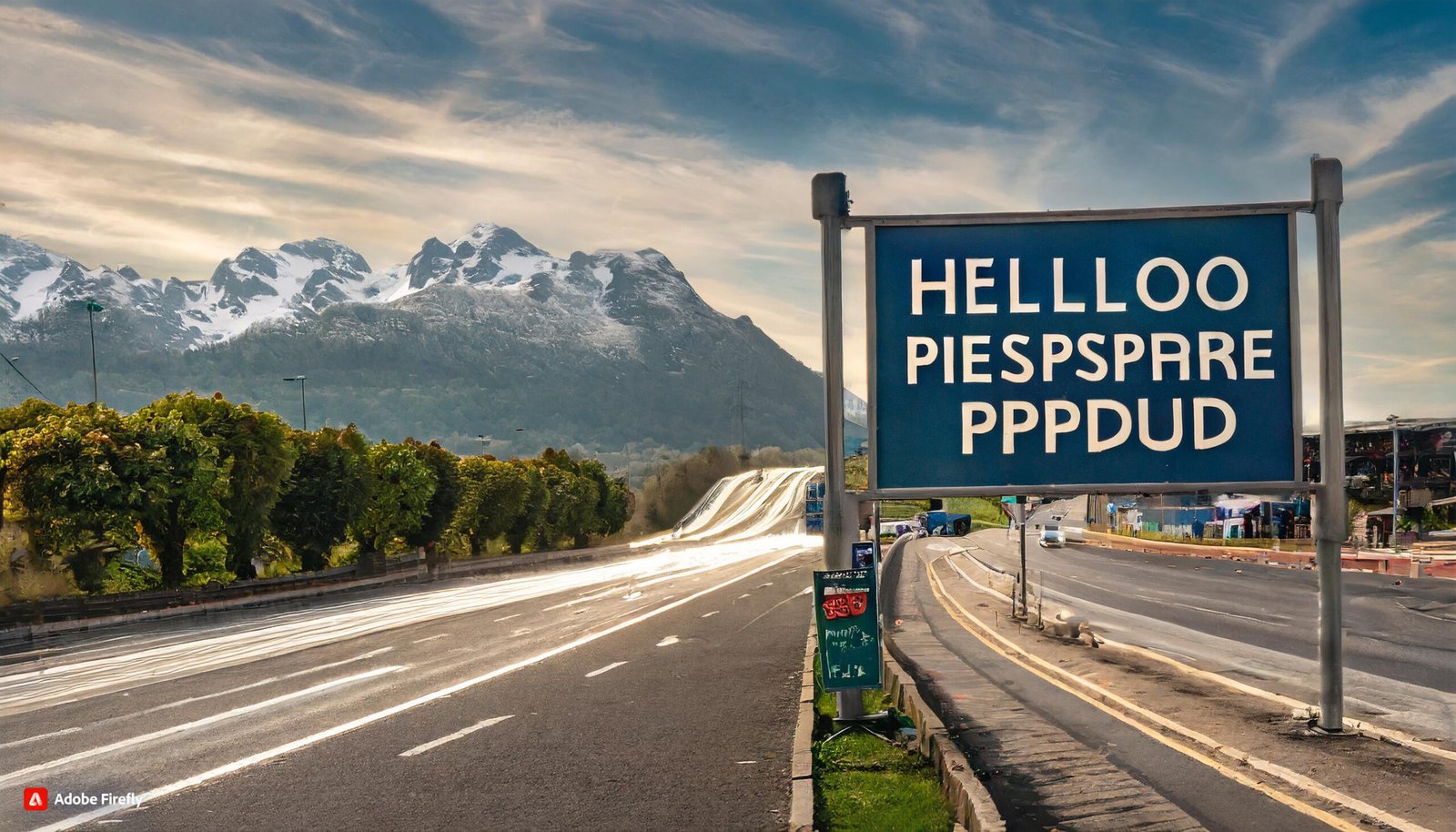
- Gibberish text. AI cannot write real text. If there’s a sign or t-shirt in the image, try to read it. It will often be nonsensical characters that look like a real language but aren’t.
In the fake Maduro photos, eagle-eyed viewers spotted missing heads in the background, hands melting into elbows, and agency insignias that didn’t match official DEA uniforms.
5. Dead Eyes and Too-Perfect Teeth
They say the eyes are the window to the soul. For AI, the eyes are often just creepy data points.
Look for these signs.
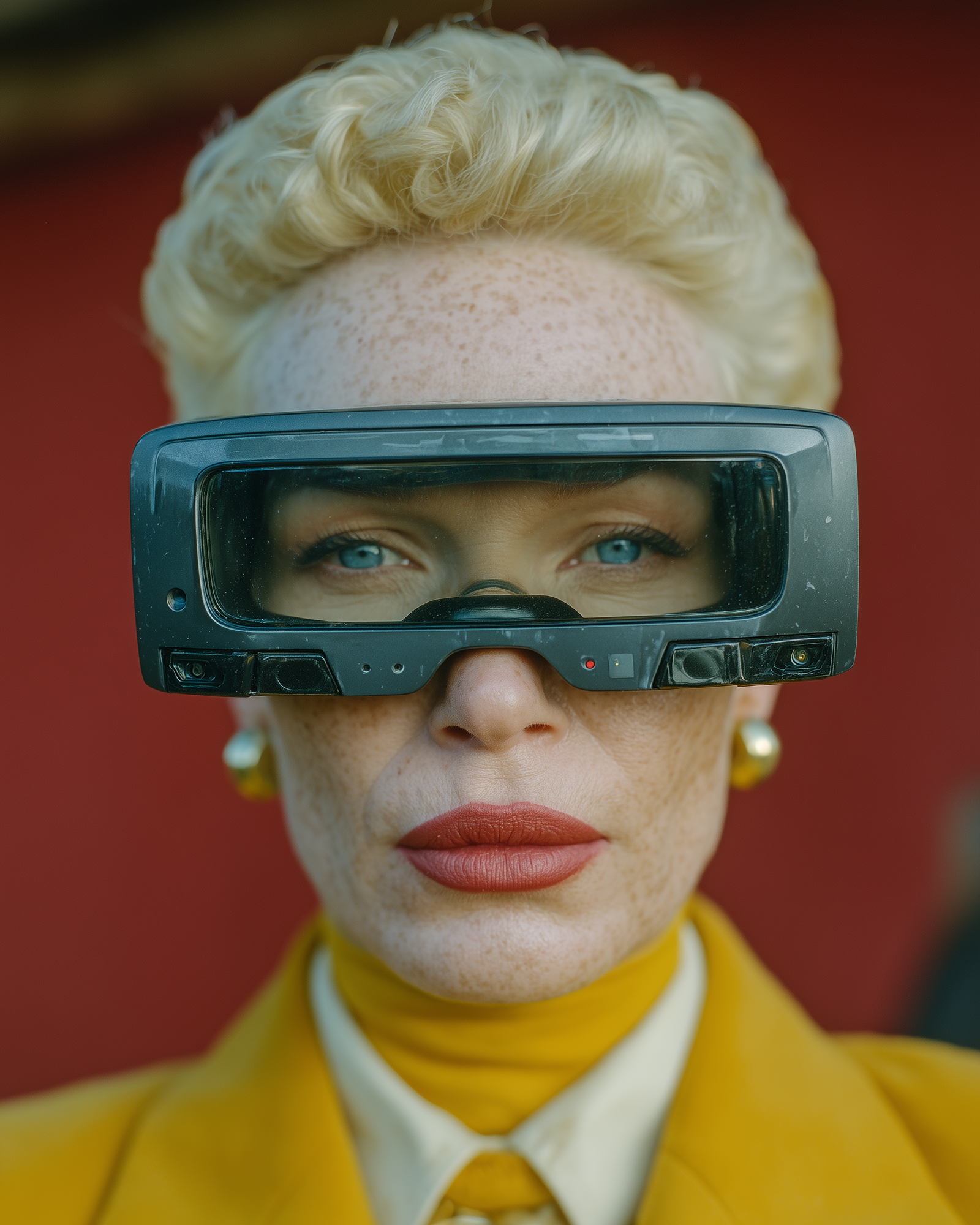
- The “dead eye” stare. Eyes that look glassy, unfocused, or staring in slightly different directions.
- Asymmetry. One eye might be a slightly different shape or size than the other.
- Weird pupils. Shaped like ovals or slits instead of circles.
- Too-perfect teeth. AI often gives people a full set of perfectly straight, perfectly white, perfectly uniform teeth. Real people’s teeth have character and small imperfections.
Free Tools to Spot AI Fake Images
Google Reverse Image Search, Google SynthID, TinEye, and Hive Moderation are four free tools that can help verify whether an image is AI-generated or authentic.
Beyond just looking, you can use a few simple tools to do some detective work.
Google Reverse Image Search is your first and best friend. Right-click on an image and search Google with it. You’re asking, “Where has this image appeared online before?” If it’s a real photo, you’ll likely find legitimate sources like news agencies. If it only appears on sketchy accounts and was first seen two days ago, it’s probably fake.
Google SynthID is a newer tool built by Google DeepMind that identifies images made with Google’s own AI tools. It adds an invisible watermark that the tool can detect. It won’t work on Midjourney or Stable Diffusion outputs, but it caught many of the Maduro fakes.
TinEye is another reverse image search engine. It’s more specialized than Google and sometimes finds different results. Great as a second opinion.
Hive Moderation offers a free AI detection tool. Upload an image and it gives you a percentage score of how likely it is to be AI-generated. Not a perfect verdict, but another piece of evidence.
The Source Check: Who Posted This?
Checking the account that posted an image (creation date, follower count, post history) is often more reliable than pixel-level analysis for identifying AI fakes.
Context is everything. Before you even analyze the pixels, look at the source. Ask yourself.
- Who is the account that posted this?
- Is it a reputable news organization like AP, Reuters, or BBC, or a brand new account with 15 followers?
- When was the account created? What else have they posted?
- Is this image designed to make you feel a strong emotion like anger or shock? Strong emotional reactions are a key goal of misinformation.
My 10-Second Rule Before Sharing
A quick gut check, a scan of hands and text, and a source verification takes roughly 10 seconds and prevents you from amplifying AI-generated misinformation.
This might all sound like a lot of work, but you can build a very fast habit. My mental checklist in about ten seconds before I share something that looks suspicious.
- Gut Check. Does this feel real? Or does it feel a little too perfect, too strange, or too emotionally manipulative?
- Quick Scan. Look at the hands, the eyes, and any text in the background. These are the fastest places to find mistakes.
- Check the Account. Who posted it? Is it a source I already know and trust?
That simple 10-second pause is one of the most powerful things you can do to combat misinformation. You are the last line of defense. Be a skeptical, thoughtful user of the internet. Now you have the tools.
Frequently Asked Questions
Can AI detection tools tell me for sure if an image is fake?
No. AI detection tools give you a probability, not a verdict. They can flag suspicious images, but they’re not 100% accurate. Use them as one piece of evidence alongside visual inspection and source checking.
What if the image looks completely real to me?
Trust your gut if something feels off, even if you can’t pinpoint why. Check the source first. If it’s from a random social media account during a breaking news event, be extra skeptical. When in doubt, don’t share.
Are AI fake images illegal?
It depends on how they’re used. Creating a fake image isn’t automatically illegal, but using one for fraud, defamation, or election interference can be. The bigger issue is the social harm from spreading misinformation.
Related Reading: Maduro Fake Images Fooled Millions | AI Misinformation: How Grok Falsely Named World Leaders | New to AI? Start here

Leave a Reply