

ℹ️ Quick Answer: The Siri AI waitlist lives in Settings on iOS 27: tap Siri, then Try Siri AI (Beta). It works on iPhone 15 Pro and Pro Max, iPhone 16 or later, iPhone Air and iPhone Duo, not the base iPhone 15 or older. You also need Siri in English and an Apple Account outside the EU and China.
📋 WHAT’S INSIDE
- How to join the Siri AI waitlist
- Which iPhones get Siri AI
- What Siri AI can actually do today
- Where Siri AI won’t work yet
- Daily limits and the honest limitations
- Stuck on the waitlist? Check these first
- Frequently asked questions
Last updated: September 16, 2026
iOS 27 landed on Monday, and the Siri AI everyone has been waiting on since 2024 came with it. Sort of. Apple’s own release notes call it a beta, and the first thing you find when you go looking for it is a waitlist. You update your phone, you tap the button, and then you wait for a notification.
I wrote a longer piece back in July about what iOS 27 Siri AI changes and whether the developer beta was worth installing. This one is the release-day version: how to get in line, which phones qualify, what Siri AI does on day one according to Apple and the people who have it, and where it still falls short. If you want the Gemini backstory and the privacy trade-offs, the July post has them, and I won’t repeat all of it here.
One thing up front. I have not been through the waitlist myself yet, so everything about the experience below comes from Apple’s support pages and reporters who have. I’ll say who said what.
How to join the Siri AI waitlist

You join the Siri AI waitlist from the Siri screen in Settings, and there is no separate app or sign-up page. Apple’s support document lays it out in one sentence: “After you update your device, go to Settings, tap or click Siri, then tap or click Try Siri AI (Beta).”
- Update to iOS 27 under Settings, then General, then Software Update.
- Open Settings and tap Siri. If Siri is switched off, Apple says to tap Turn On Siri first.
- Tap Try Siri AI (Beta).
- Follow the prompts. Apple says you pick a voice, do a short voice enrollment, and review your privacy settings.
Finishing those prompts is what puts you on the list. Apple’s wording is that completing setup “will add you to a waitlist, and wait times can vary,” and that “Siri AI will begin to download automatically when your wait is complete.” MacRumors’ Joe Rossignol reported on Tuesday that the spread is wide, with some people getting in “within a few minutes of signing up and others having to wait a few hours or even days.” When you’re through, you get a notification and the new Siri app shows up on your home screen on its own.
The waitlist itself isn’t new for Apple. Ryan Christoffel at 9to5Mac pointed out it mirrors the queue Apple used for Apple Intelligence in iOS 18.1, and the reason is the same: roll the feature out slowly instead of turning it on for every compatible iPhone at once.
Which iPhones get Siri AI
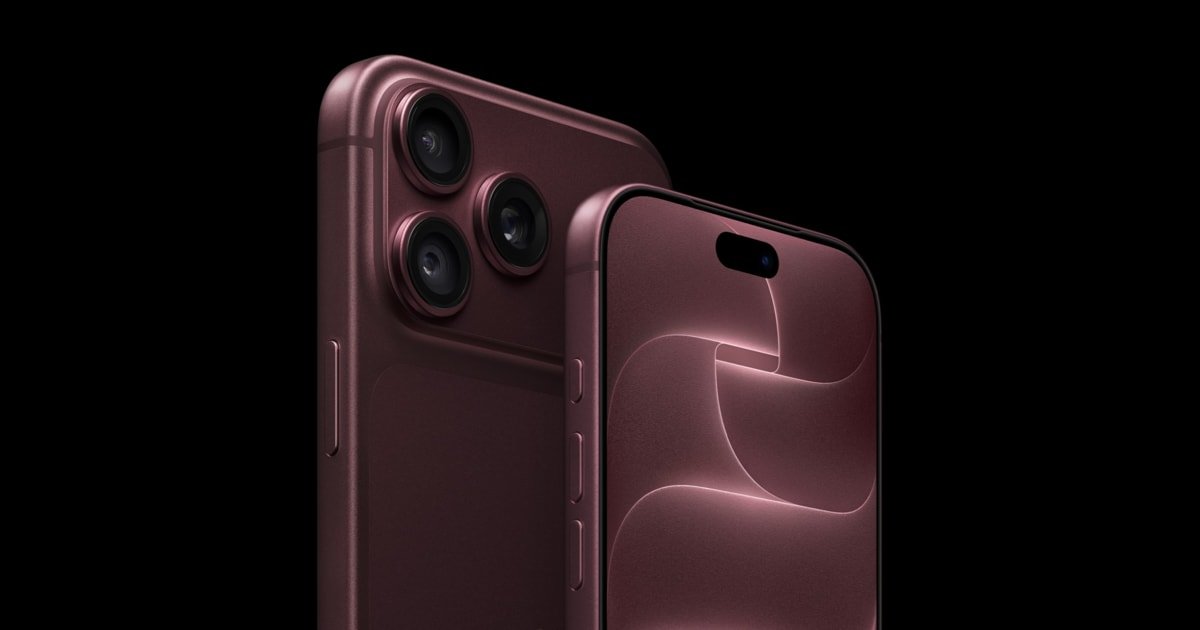
Siri AI needs an Apple Intelligence phone, which means an iPhone 15 Pro or anything newer. Apple’s compatibility list for iOS 27 reads: iPhone 15 Pro, iPhone 15 Pro Max, iPhone 16 models or later, and iPhone Air. The launch announcement adds iPhone Duo to that list.
So a base iPhone 15 or an iPhone 14 Pro is out, and it isn’t a setting you can flip. The waitlist button simply won’t be there.
There is a second tier, and Apple is quiet about it. The newest phones carry a bigger on-device model, so they get a few extra features the older ones don’t. Some of the improvements, like the better dictation model, run on what Apple calls AFM Core Advanced, and Apple’s Siri AI announcement lists that as iPhone 17 Pro, iPhone 17 Pro Max, iPhone Air, iPhone 18 Pro, iPhone 18 Pro Max, and iPhone Duo. On a 15 Pro or a 16 you get Siri AI, just not every piece of it.
If you’re weighing a new phone on the back of this, I went through the iPhone 18 Pro price increase and whether the upgrade is worth it last week. The short version is that Siri AI on its own isn’t a reason to spend $100 more, because a 15 Pro from 2023 already gets in the door.
It also works on iPad, Mac, Apple Watch and Vision Pro. On iPad you need an M1 or later or the iPad mini with the A17 Pro, on Mac an M1 or later or the MacBook Neo, and on Apple Watch a Series 9, Ultra 2 or SE 3 paired with a compatible iPhone, all per the same Apple support page.
What Siri AI can actually do today
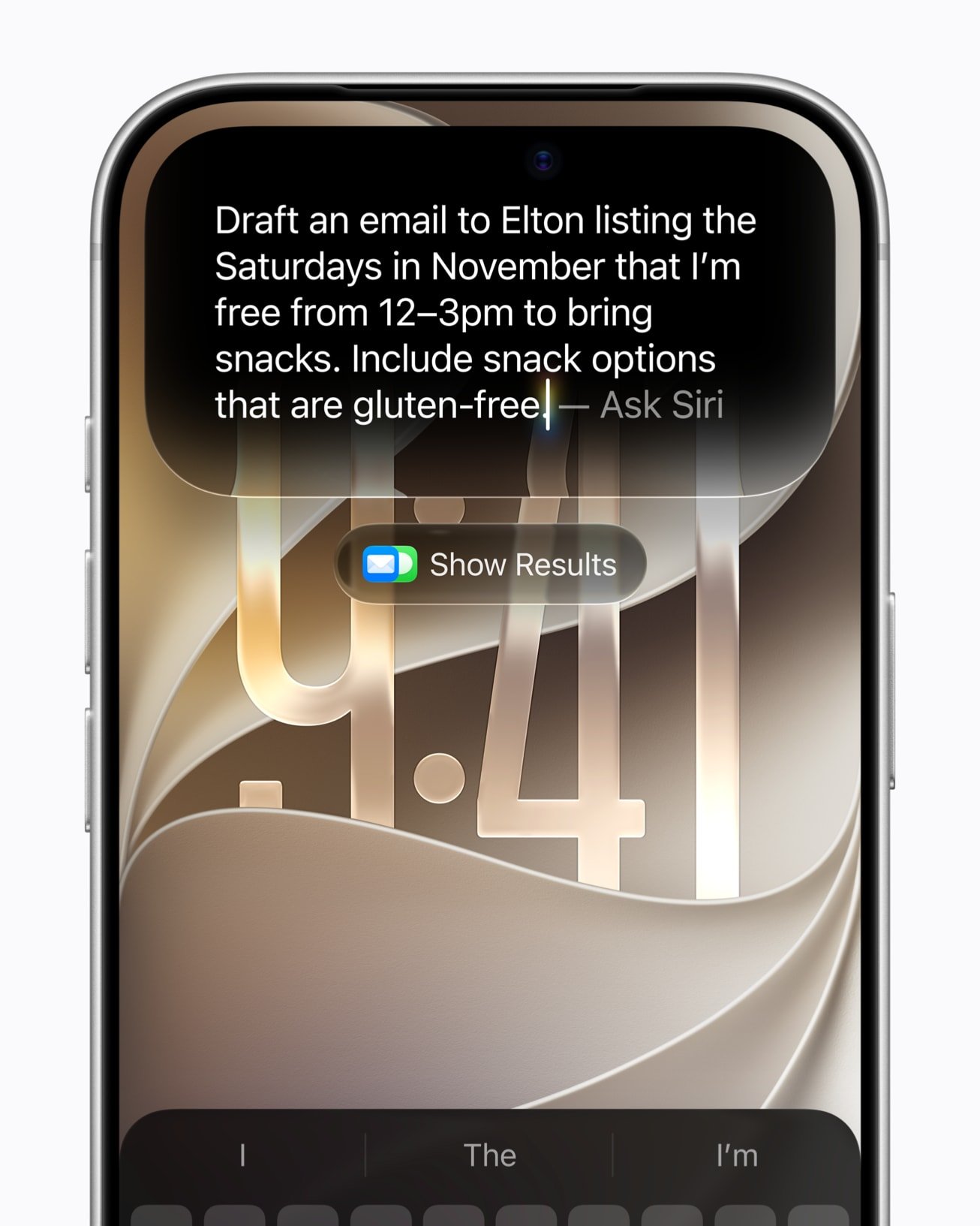
On day one, Siri AI answers general questions itself, reads what’s on your screen, searches your own messages and mail for answers, and takes actions inside apps. Those four things are the core of Apple’s announcement, and the rest is built on top of them.
It knows what’s in your own stuff
Apple’s example is a relative mentioning a recipe in a text. Siri finds the message, pulls the actual instructions out of an email, and drops the ingredients into Reminders. CNBC’s report describes the same idea in plainer terms: it uses large language models to search through your texts, emails and calendar, and it can find addresses, recipes and instructions in them.
It can see the screen
Ask about whatever is in front of you and Siri can act on it. Apple’s example is looking at a sports team’s website and asking Siri to find the home games and add them to your calendar. On iPhone there is also a Siri mode inside the Camera app, so you can point the phone at something and ask.
It works inside apps, including some third-party ones
Apple lists drafting an email from scratch, editing and sharing a photo, composing a WhatsApp message and playing an audiobook in Audible. Outlook, Notability and Tripsy are listed as coming soon, so the third-party list is short today and should grow.
It holds a conversation, and there is a Siri app
You can ask follow-ups instead of starting over, and a new Siri app keeps your past conversations so you can pick one up on your Mac or iPad later. CNBC’s write-up calls out the app and the replies as the two things that make it feel conversational compared with the old Siri. Apple CEO John Ternus, in the same piece, put the pitch as “personal intelligence that’s actually personal.”
There is also a writing side. Apple says Siri can generate a draft from a description, rewrite something in your usual tone for a given recipient, and proofread text system-wide, third-party apps included. Under the hood it’s running on Apple’s next-generation foundation models built with Google’s Gemini, on-device where it can and on Private Cloud Compute where it can’t. I covered the Apple and Google Gemini deal when it was signed in January if you want that history.
Where Siri AI won’t work yet
Siri AI is English-only, not available on iPhone in the EU, not available in mainland China, and not available to anyone under 13. Those four limits come straight from Apple.
- Language. English at launch. Apple’s release announcement says French, Japanese, Korean, Portuguese and Spanish arrive in October. Your device language and Siri language both need to match a supported language, so a phone set to English with Siri set to Spanish won’t show the button. If your Siri runs in another language today, the choice is to switch both device and Siri language to English and join now, or wait for your language to arrive in October.
- EU. Apple’s words: “Siri AI will not be available initially in the EU on iOS, iPadOS, and watchOS.” Oddly, the support page says it does work on macOS and visionOS with an EU Apple Account, so a Mac user in Paris gets it and their iPhone doesn’t. Apple said back in June that the Digital Markets Act is the reason it can’t ship Siri AI on iPhone in the EU, and there is still no date for it.
- China. “Siri AI and the other new Apple Intelligence features will not be available in China while Apple works through regulatory requirements,” per the announcement.
- Age. “Siri AI is not available for users under 13,” per Apple. Kids’ accounts in a Family group won’t see the option.
Daily limits and the honest limitations
The biggest catch is that Siri AI has a daily usage cap, and Apple has already said more will cost money. That’s in the footnotes of Apple’s own Siri AI announcement: “Certain Apple Intelligence features that rely on server-side models are subject to daily usage limits, including but not limited to Siri AI,” and “Expanded access to such features will be available for a fee in the future.” MacRumors’ Juli Clover reported five days before launch that Apple said at WWDC the higher iCloud+ tiers will include that expanded access, so the fee may end up being a storage plan you already pay for.
What Apple hasn’t said is what the limit is. The same fine print says limits “may vary by feature, request complexity, system demand, system policies, and other factors,” and CNBC repeats that line without a number because Apple didn’t give one. When you hit it, the feature comes back after a timeout.
A few more things worth knowing before you get excited:
- It is a beta on a shipping OS. Apple calls it that, and MacRumors notes it stays labeled beta even though iOS 27 itself is final.
- It doesn’t identify voices and it doesn’t keep audio recordings, by Apple’s design. The related Siri Recap feature only gives summaries, not transcripts, and that and Live Rewind are “later this year,” not now.
- The third-party app list is short. WhatsApp and Audible are live; Outlook, Notability and Tripsy are still “coming soon.”
- Anything sent to Private Cloud Compute is processed on Apple’s servers. Apple says the data isn’t stored or accessible to Apple or anyone else, and I walked through what that promise does and doesn’t cover in the July post.
Stuck on the waitlist? Check these first
If you tapped the button and nothing has happened, there is usually nothing to fix, but a few settings can quietly keep you out of the queue. Apple’s support page and a useful Apple Post round-up cover the same list.
- Make sure you’re on the current iOS 27 build, not a beta from the summer.
- Check that both your device language and your Siri language are set to English, which is the only supported pairing right now.
- Check the region on your Apple Account. If it’s set to an EU country or mainland China, the iPhone version won’t enroll.
- Keep the phone on Wi-Fi and power while the models download, and free up storage if you’re nearly full. David Joseppi at The Apple Post notes a nearly full iPhone “may need storage freed before everything can download correctly.”
And if all of that checks out, you’re just waiting. As Joseppi puts it, “If you are genuinely still on the waiting list, however, there may be nothing to fix.” Apple hasn’t published how the queue moves.
Frequently asked questions
How do I join the Siri AI waitlist in iOS 27?
Update to iOS 27, open Settings, tap Siri, then tap Try Siri AI (Beta). Follow the prompts to pick a voice, enroll your voice and review privacy settings. That adds you to the waitlist, and Siri AI downloads automatically when your turn comes. You get a notification when it is ready.
Which iPhones can use Siri AI?
iPhone 15 Pro, iPhone 15 Pro Max, every iPhone 16 model and later, iPhone Air and iPhone Duo, according to Apple. Older phones, including the base iPhone 15, do not get the waitlist button. Some enhanced features need an iPhone 17 Pro or newer.
Is Siri AI available in the EU or China?
Not on iPhone. Apple says Siri AI is not initially available in the EU on iOS, iPadOS and watchOS, though it does work on Mac and Vision Pro with an EU account. It is not available at all in mainland China while Apple works through regulatory requirements.
Does Siri AI cost money?
Not today. Siri AI is free in beta, but Apple says server-side features including Siri AI have daily usage limits, and expanded access will be available for a fee in the future. MacRumors reports Apple said at WWDC that higher iCloud+ tiers will include that expanded access. Apple has not published the limit or the price.
The Siri AI waitlist is a two-minute job, so if your phone qualifies, get in line now and let it come to you. On the money question, Siri has been free for a long time and I’d imagine Apple keeps it that way. Then again, Apple is paying Google to use Gemini under the hood, and that cost has to come from somewhere. I can see it going either way: free forever, or three or four years from now a cheap add-on at 99 cents or $1.99 a month. I honestly don’t know which.
Related reading: iOS 27 Siri AI: what changed and the Gemini backstory | iPhone 18 Pro price is up $100: should you upgrade? | Google Assistant is shutting down: how to set up Gemini on Android | New to AI? Start here
WHO WROTE THIS
Moses Smith. I write Everyday AI for people who aren’t engineers. I go try the tools, then tell you honestly whether they were worth it. Sometimes the answer is no, and that’s kind of the point.
This blog is free and has no ads. If it saved you some time, you can buy me a coffee.







Leave a Reply