
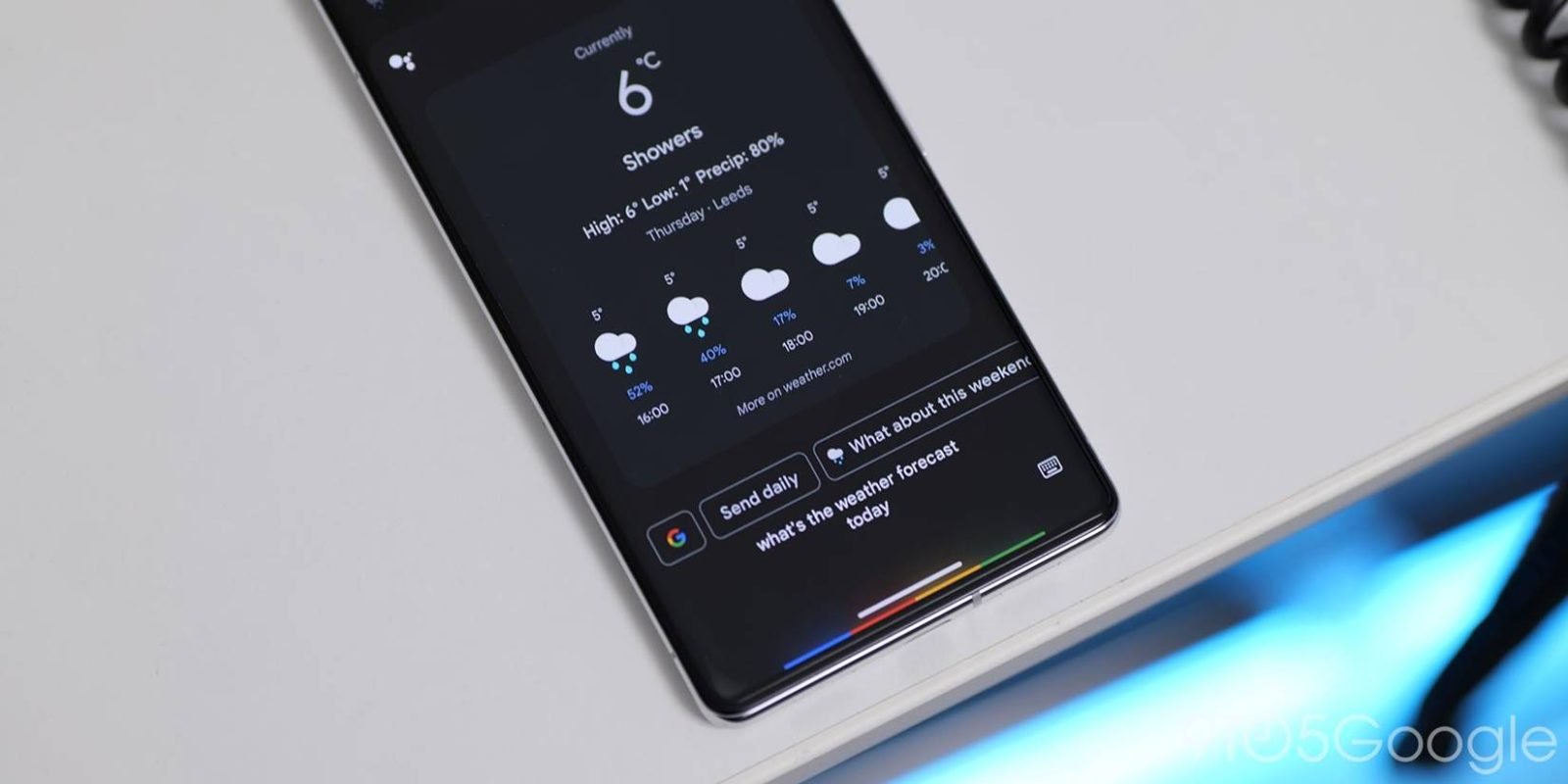
ℹ️ Quick Answer: The Google Assistant shutdown began on September 4, 2026. Google is removing Assistant from Android phones, tablets, Wear OS watches, headphones, and phone-projected Android Auto over a few weeks, and once it reaches your device you cannot switch back. Gemini takes over “Hey Google” and the power button. Cars with Google built-in, Google TV, and Nest speakers are not part of this wave.
📋 WHAT’S INSIDE
- What the Google Assistant Shutdown Actually Means
- Which Devices Lose Assistant, and Which Keep It
- What Gemini Does Better Than Assistant
- What Gemini Still Gets Wrong
- Five Settings to Fix on Day One
- If You Don’t Want Gemini at All
- The Honest Limitations
- FAQ: Google Assistant Shutdown
Last updated September 6, 2026
Google Assistant turned ten this year, and it isn’t going to see eleven. The email went out in early August, the removal started on Friday, and somewhere in the next few weeks your Android phone is going to answer “Hey Google” with a different voice and a different brain, whether you asked for that or not.
I’ve spent the last couple of days reading the Pixel and Android subreddits, Google’s own help pages, and the write-ups from the reporters who have been living with Gemini as their only assistant since spring. Gemini does things Assistant never could, and it also fumbles some of the two-word commands Assistant handled for a decade.
So this is the practical version. What’s being removed, which of your devices are in the blast radius, what to expect on the first day, and the handful of settings that make the difference between “this is fine” and “this will be my last Pixel,” which people are typing on Reddit right now.
What the Google Assistant Shutdown Actually Means
Starting September 4, 2026, Google is removing Google Assistant from Android phones and tablets and replacing it with Gemini, and the switch is one-way. Google’s own email says the rollout “may take a few weeks to reach everyone,” and once it lands you “will no longer be able to use or switch back to Google Assistant.”
That quote comes from the notice Google sent to Assistant users on August 4, which 9to5Google published in full. The official framing is that Assistant is “being discontinued” and Gemini “is now the assistant experience on Android.” This was supposed to happen by the end of 2025. Google pushed it into 2026 in December to “deliver a seamless transition,” and it used the extra months to keep porting Assistant features over.
You don’t have to do anything for the switch to happen. Eligible devices move on their own, and the everyday commands keep working. “Hey Google, set a timer for ten minutes” still sets a timer on day one, because Gemini answers to the same wake word and the same commands, and TechRadar’s walkthrough of the switch confirms the old phrasing carries over. The complaints further down are about the times it decides to chat instead. If you already tapped “Switch to Gemini” months ago, nothing changes for you now except that the “Switch to Google Assistant” escape hatch in the Gemini app is going away. The standalone Google Assistant app for iPhone is being retired as well, so this isn’t purely an Android story. iPhone owners lose a lot less because Siri was already their default and the Gemini app on iOS keeps working as it did.
Which Devices Lose Assistant, and Which Keep It
This wave covers phones, tablets, Wear OS watches, headphones and earbuds, and any car running Android Auto off your phone. It does not touch Google TV, Nest speakers and displays, or cars with Google built-in, at least not yet.
The way it works is that your phone is the anchor. When your phone flips to Gemini, everything paired to it comes along, so your Pixel Watch, your Pixel Buds, and the Android Auto screen in your dashboard all lose Assistant on the same day. Google’s notice specifically calls out “vehicles running Android Auto projected from a user’s mobile device,” and that’s the one that has people most nervous, because the car is where you least want an assistant that answers a question instead of making a call.
Cars with Google built-in, meaning the ones where Google runs on the dashboard itself rather than off your phone, keep Assistant past September 4 for now. Nest speakers and Nest Hubs are on their own track with Gemini for Home, which Google announced last October. The basic voice upgrade there is free, and the fancier parts like Gemini Live on the speaker and camera-history search sit behind a Google Home Premium subscription that starts at $10 a month or comes bundled with Google AI Pro. If you’re a student, the free year of Google AI Pro covers that.
There’s one more group that keeps Assistant by accident. Gemini needs Android 10 or newer and at least 2 GB of RAM, so a phone below that line simply isn’t eligible and stays on Assistant “for now,” per Google’s earlier guidance. If your parent’s five-year-old budget phone still says “Hey Google” and gets the old voice back, that’s why.
What Gemini Does Better Than Assistant

Gemini wins on anything that needs context, a follow-up, or more than one app at a time. Assistant only understood fixed commands, so it never handled a messy request well, and Gemini can hold a conversation about one.
Some of what’s new is stuff Assistant couldn’t have done in any version. Gemini Live lets you talk, pause, interrupt, and change your mind mid-sentence without saying the wake word again. You can point the camera at something and ask about it. The connected-app actions reach into Gmail, Calendar, Maps, YouTube, and dozens of third-party apps, so “find the confirmation email from the hotel and add the check-in time to my calendar” is one sentence instead of three taps and a copy-paste.
Google also keeps adding small, useful things that only make sense with a model underneath. The September Android update added a “Remembered” list in Find Hub, so you can say “Hey Google, remember in Find Hub that I put my passport in the bedroom drawer,” attach a photo, and ask for it back by voice in March. On the smart home side, Gemini for Home lets you describe an automation (“turn on the porch light and lock the door every night at sunset”) instead of building it in menus. If you’ve already got a Gemini Daily Brief landing in your inbox each morning, the phone assistant is now the same brain, and it knows the same things.
What Gemini Still Gets Wrong
The complaints cluster around the same five things, which are contacts, default apps, quick phrases, Android Auto, and a habit of turning a two-word command into a conversation. Each one is small, and each one is something you hit ten times a day.
Joe Fedewa at How-To Geek has been using Gemini alongside Assistant and wrote up what’s still missing. Assistant had a “Your people” list where you told it who your wife or your dad was, so “call my wife” just worked. Gemini doesn’t have that, and it also can’t pull an address out of a contact card, so “navigate to Mom’s house” either fails or goes searching the web. Assistant let you set Spotify or Apple Music as the default music app. Gemini only connects to Spotify and YouTube Music, and you have to say “on Spotify” every time or it defaults to YouTube Music. The hands-free Quick Phrases like saying “Stop” to kill a timer still work on Nest speakers, and they’ve stopped working on phones. Interpreter mode is gone, but that one moved to the Conversation tab in the Translate app, and Fedewa thinks that’s a better home for it.
Then there’s the reliability question, which is what Reddit is angry about. One Pixel user described asking for an alarm to mark the end of a three-hour parking window, and instead of setting it Gemini asked why they wanted one, then offered to set it, then asked for the time again. That was three round trips for something Assistant did in one. Patrick O’Rourke, writing for XDA, found Gemini’s Android Auto integration frequently returning “something went wrong” errors, and Ryan Whitwam at Ars Technica wrote that it “sometimes goes off on a tangent or forgets that it does, in fact, have access to a particular tool.” Those are individual accounts rather than a measured comparison, and they line up with each other closely enough to be worth planning around.
Five Settings to Fix on Day One

Most of the day-one friction is fixable in one sitting, and almost all of it lives in one place, which is the Gemini app, your profile picture, then Settings. These five are the ones the reporting keeps pointing at.
- Teach it your people. Under Personal Intelligence there’s a section called “Instructions for Gemini.” Type something like “When I say my wife, I mean Sarah Chen. When I say Dad, I mean Robert Chen.” Fedewa reports the simple relationship instructions work reliably, which brings back most of what “Your people” did.
- Pin your music app. In the same instructions box, add “When I ask to play music, use @Spotify.” It’s a workaround rather than a real default, but it saves you saying the app name fifty times a week.
- Connect the apps you’ll actually use. Settings, then Apps, and switch on Gmail, Calendar, Maps, Keep or Tasks, and your music service. Gemini can’t reach into an app you haven’t connected, so check this before deciding it can’t do something.
- Decide what works on the lock screen. Gemini defaults to asking you to unlock the phone for anything that touches personal data, which is why one user complained it made them unlock the phone to change the temperature. Settings, then “Gemini on lock screen,” lets you allow the basics without unlocking. Google’s help page walks through it along with the power-button and “Hey Google” toggles.
- Set the power button on purpose. Settings, then System, then Gestures, then “Press and hold power button.” If you’d rather hold it for the power menu and summon the assistant some other way, this is where that lives.
One caveat on the instructions box. Fedewa found it hit-or-miss for anything beyond the simple stuff. Telling Gemini who his wife is worked every time, while telling it to use Google Tasks instead of Keep for to-do items kept getting ignored. Start with the people and the music app, and treat anything fancier as a bonus if it sticks.
If You Don’t Want Gemini at All

On an eligible phone you can’t keep Assistant, but you can pick a different default assistant, or none. Android has always let you choose, and the setting survives the shutdown.
The switch is at Settings, then Apps, then Default apps, then “Digital assistant app.” “Google” is the entry for both Assistant and Gemini, so picking it now means Gemini. Below it you’ll find whatever else is installed that qualifies, and since March 2025 that includes ChatGPT. Pick it and a long-press of the power button or a corner swipe drops you straight into ChatGPT voice mode. The catch is there’s no wake word. GSMArena notes the wake word needs system access only preinstalled apps get, so ChatGPT is a button-press assistant.
Choosing “None” is a legitimate option too. Timers, alarms, and calls all still work from their own apps, and plenty of people used Assistant for exactly nothing. If you’re on an iPhone and reading this because a family member is upset, the equivalent decision over there is whether to install the iOS 27 Siri beta, which is Apple running the same play a year later.
The Honest Limitations
The biggest one is that none of the reporting includes a side-by-side reliability test. Every account of Gemini fumbling a timer or a call is an anecdote, and so is every account of it handling a complicated request well. The complaints are loud partly because the people who are happy don’t post, so treat them as a pattern to watch for rather than a verdict.
Second, this rollout is staged, so your experience this week may not match your neighbor’s. Google says “a few weeks,” and Google also said end of 2025 once, so expect stragglers. 9to5Google notes Google hasn’t said when the docked Pixel Tablet moves, and Google already dropped Assistant support for Bluetooth and AUX car accessories back in March 2025.
Third, the smart home side is genuinely two products now. The basic Gemini voice on a Nest speaker is free. The parts that make the home feel smart, like natural-language automations and searching your camera history, cost $10 a month unless you’re already paying for Google AI Pro. If you bought a house full of Nest gear on the promise of a free assistant, that shift is worth noticing, and it’s the same question I ran into when I looked at Ring’s AI features.
The last one is older phones. If your device is under Android 10 or 2 GB of RAM, you keep Assistant today with no promise for tomorrow. Google’s phrasing is “for now.” Plan on that phone eventually going quiet.
FAQ: Google Assistant Shutdown
When exactly does Google Assistant stop working on my phone?
Google started removing Assistant from Android phones, tablets, Wear OS watches, headphones, and phone-projected Android Auto on September 4, 2026. The rollout takes a few weeks, so devices flip on different days. Once yours switches to Gemini, there is no way back.
Do I need to download anything or set Gemini up myself?
No. Eligible devices switch automatically and Gemini keeps the same triggers, so “Hey Google” and a long press of the power button both open it. If the Gemini app isn’t already on your phone, it’s a free download from the Play Store, and it uses the same Google account, so TechRadar reports the switch should be smooth.
Will my Nest speakers and Google TV switch too?
Not in this wave. Nest speakers and displays are moving to Gemini for Home on a separate schedule, and Google TV and cars with Google built-in keep Assistant past September 4 for now. The basic Gemini voice on a Nest speaker is free; features like Gemini Live and camera-history search need Google Home Premium at $10 a month or a Google AI Pro plan.
Can I use ChatGPT or Alexa instead of Gemini on Android?
Yes. Settings, then Apps, then Default apps, then Digital assistant app lets you pick ChatGPT, Alexa, or None. Third-party assistants open with a button press or corner swipe but can’t use the “Hey Google” wake word, and they can’t control Android system features like alarms the way Gemini can.
Assistant’s appeal was that it was predictable, and Gemini has to earn that. Do the setup above before you judge it, because the step that matters most is telling it who your people are.
Related reading: Gemini Task Automation: 40+ Apps Where Your Phone Now Runs the Errands | Gemini Daily Brief: The AI Morning Summary I Check Every Day | iOS 27 Siri AI: Should You Install the Beta? | New to AI? Start here
WHO WROTE THIS
Moses Smith. I write Everyday AI for people who aren’t engineers. I go try the tools, then tell you honestly whether they were worth it. Sometimes the answer is no, and that’s kind of the point.
This blog is free and has no ads. If it saved you some time, you can buy me a coffee.







Leave a Reply