
ℹ️ Quick Answer: The ChatGPT Apple Music integration lets you find songs by describing melodies, movie scenes, or vibes in plain English. Connect your Apple Music account through ChatGPT’s settings, and it handles vague requests like hummed patterns or half-remembered lyrics. It also builds playlists from conversation and lets you preview tracks before saving them.
📋 WHAT’S INSIDE
- What ChatGPT Apple Music Actually Does
- How to Set Up ChatGPT with Apple Music
- Apple Music vs. Spotify in ChatGPT
- Best Headphones for Apple Music Listening
- What This Means for How We Find Music
- The Honest Limitations
- Common Questions About ChatGPT Apple Music
“What’s that song that goes dun dun DUNNN and it’s from some movie with a car chase?”
Try typing that into Spotify’s search bar. Good luck.
The new ChatGPT Apple Music integration actually understands requests like that. OpenAI rolled it out this week, and I’ve been using it to find songs I’ve been half-remembering for years. You describe what you’re looking for in plain English, and it finds the actual song.
If you’ve ever given up on finding a song because you couldn’t remember the title or exact lyrics, this solves that problem.
What ChatGPT Apple Music Actually Does
OpenAI’s ChatGPT Apple Music integration works as an app extension that generates playlists through conversation and identifies songs from vague descriptions, hummed melodies, or movie scene references.
The integration works as an app extension within ChatGPT. If you’re an Apple Music subscriber, you can now have playlists automatically generated through conversation, according to Business Standard. It’s similar to the existing Spotify integration that launched earlier, but with some key differences I’ll get into.
The real breakthrough is how it handles vague requests. Traditional music search requires you to know something specific: the artist, the title, or exact lyrics. This integration understands context and subtlety. 9to5Mac reports you can ask for things like “that Alice song from Fear and Loathing in Las Vegas” and actually get the right answer.
Even more impressive? You can literally hum or describe melody patterns. The same source notes that requests like “duuuum duuuum duuuuuuuuum DU-DUUUUUM” from movie references actually work. That’s not keyword matching. That’s real understanding of how human memory stores music.
How to Set Up ChatGPT with Apple Music
Setting up the ChatGPT Apple Music integration takes about two minutes through the ChatGPT settings menu on Mac, iOS, or web, using your existing Apple Account credentials.
Setup is straightforward. MacRumors details the process: go to ChatGPT’s settings menu (works on Mac, iOS, or the website), find the Apple Music option, and authorize with your Apple Account credentials.
Apple kept this simple by using their existing authentication system rather than complicated API tokens. Once connected, you activate Apple Music in any conversation by tapping the ‘+’ button and selecting the service.
Once it’s set up, you can do a lot with it.
- Create themed playlists: Ask for a “30-song rock and roll Christmas playlist” while avoiding cliches
- Find songs from memory: Describe scenes, moods, or even onomatopoeia
- Recreate fictional playlists: Want “Barney’s Get Psyched Mix” from How I Met Your Mother? It can build that
- Discover by mood: “Songs for a rainy Sunday that aren’t too sad” actually works
Apple Music vs. Spotify in ChatGPT
Apple Music’s ChatGPT integration supports in-chat song previews that Spotify’s integration lacks, but it trades off by not reading your existing library or listening history.
If you’ve used ChatGPT’s Spotify integration, you might wonder why this matters. The differences are subtle but significant.
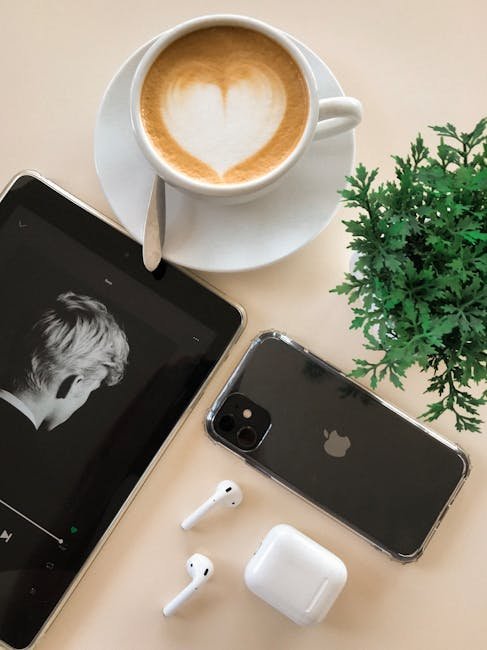
Business Standard reports the key advantage: Apple Music supports song previews directly within ChatGPT, while Spotify doesn’t. You can actually hear a clip before adding something to your library. That’s a big deal when you’re trying to verify that the AI understood your vague description correctly.
However, there’s a privacy trade-off that some users will actually prefer. MacRumors confirms the integration can add content to your library but can’t read your existing playlists or listening history. ChatGPT makes recommendations based purely on your conversation, not your behavioral data.
ℹ️ For privacy-conscious users, this is a feature, not a limitation. ChatGPT can’t see your listening history, so your music taste stays private even while getting AI assistance.
Best Headphones for Apple Music Listening
The AirPods Pro 2, Sony WH-1000XM5, and Beats Solo 4 are the top picks for enjoying Apple Music’s Dolby Atmos tracks discovered through ChatGPT’s AI recommendations.
If you’re using Apple Music with ChatGPT to discover new songs, you’ll want quality headphones to actually enjoy them. Here’s what I recommend.
For wireless earbuds, the AirPods Pro 2 are the obvious choice if you’re in the Apple ecosystem. The spatial audio works beautifully with Apple Music’s Dolby Atmos tracks, and the noise cancellation helps you focus on those newly discovered songs without distraction.
If you prefer over-ear headphones, the Sony WH-1000XM5 offers excellent sound quality across all streaming services. They’re comfortable for long listening sessions when you’re going through those AI-generated playlists.
For a more budget-friendly Apple option, the Beats Solo 4 pairs easily with Apple devices and delivers solid bass for casual listening.
What This Means for How We Find Music
OpenAI is positioning ChatGPT as a universal interface for digital services, with the Apple Music integration following Spotify, Canva, and Zillow app extensions in a growing ecosystem.
BGR notes that Apple’s recommendation algorithms have historically lagged behind Spotify’s. This integration essentially lets Apple sidestep that weakness by using ChatGPT’s conversational intelligence instead.
The broader trend here is interesting. Tom’s Guide reports OpenAI has been systematically expanding app integrations, adding Spotify, Canva, Zillow, and now Apple Music. They’re positioning ChatGPT as a universal interface for digital services. This follows OpenAI’s pattern of continuous upgrades, like their recent GPT Image 1.5 release that dramatically improved image generation.
Since OpenAI is Apple’s key AI partner (the only third-party model integrated with Apple Intelligence), this could eventually improve Siri’s music understanding too. Imagine asking Siri for “that song from the car commercial with the mountains” and actually getting the right answer.

The Honest Limitations
The ChatGPT Apple Music integration can’t access your existing library, requires a paid Apple Music subscription for full functionality, and struggles with obscure or regional music catalogs.
This isn’t perfect. Because ChatGPT can’t see your existing library, it might recommend songs you already own. It also can’t create playlists from your existing favorites or reorganize what you’ve already saved.
The integration also requires an Apple Music subscription for full functionality. Non-subscribers can browse and preview, which is nice for discovery, but you’ll need to pay to actually save and listen to full tracks.
And while the AI handles vague requests impressively well, it’s not magic. Very obscure tracks or highly specific regional music might still stump it. The system works best with mainstream catalogs.
Common Questions About ChatGPT Apple Music
Do I need a paid ChatGPT subscription?
The Apple Music integration works with ChatGPT’s free tier, though you’ll need an Apple Music subscription to save and play full songs. Free users can still browse and preview.
Can ChatGPT see my listening history?
No. Unlike some AI music features, this integration specifically can’t access your existing playlists or play history. It only knows what you tell it in conversation.
Does this work on Android?
Yes. While Apple Music is obviously an Apple product, the ChatGPT integration works across platforms including Android devices, the web, and desktop apps.
What if I use Spotify instead?
ChatGPT has a separate Spotify integration that works similarly. You can’t use both simultaneously in one conversation, but you can switch between them depending on which service you prefer.
This integration is a small but meaningful step toward AI that actually understands how we think about music. If you’ve ever given up searching for a song because you couldn’t remember enough details, that frustration might finally be over.
Related reading: Using ChatGPT for Personal Finance | AI Life 2026 Series | New to AI? Start here
This post contains affiliate links. If you buy something through these links, I may earn a small commission at no extra cost to you.



Leave a Reply