

ℹ️ Quick Answer: Gemini in Classroom opened to K-12 students of all ages on August 10, 2026. It builds study guides, practice quizzes, and flashcards from a teacher’s own course materials. The setting ships on by default, and it lives in the school district’s Google Admin console, so parents can’t switch it off themselves.
📋 WHAT’S INSIDE
- What Gemini in Classroom Actually Does Now
- “On by Default” Doesn’t Mean Every Kid Has It
- Where the Off Switch Really Lives
- Is the School Version Safer Than the One on Their Phone?
- Does Gemini in Classroom Actually Help Them Learn?
- Three Questions Worth Asking the School
- What I Still Don’t Know
Last updated August 11, 2026
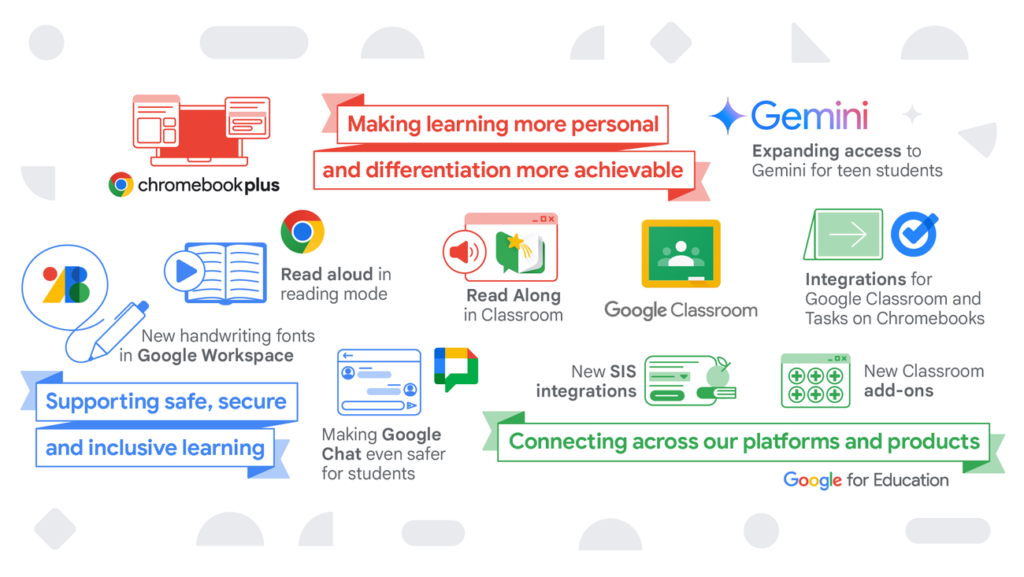
Google announced this in a short post on its Workspace updates blog. That’s about the amount of attention a change like this usually gets. Starting August 10, students of any age can open a tab inside Google Classroom and have an AI build them a study guide out of their teacher’s own material. I read it twice, then went looking for the part where a parent gets a say.
That part isn’t in there. It isn’t in the Classroom app either. The setting does exist, and it sits in a Google Admin console that only a school district’s IT administrator can open, under a menu called Generative AI, where changes take up to 24 hours to go live.
So this is the version I’d want in front of me if a back-to-school email landed in my inbox this week. I went and worked out what the thing actually does, which kids actually have it, where the switch really is, and what’s worth asking before the first AI-made practice quiz comes home.
What Gemini in Classroom Actually Does Now

Gemini in Classroom lets a student turn their own course materials into study guides, practice quizzes, and flashcards without leaving Google Classroom. The work is built from what the teacher posted, not from a general web search.
The way in is a feature called “Learn with Gemini.” On the redesigned Classroom homepage there’s a “Due Soon” section, and hovering over an assignment there surfaces it. From that one spot a student can ask for guided help on the assignment itself, or have Gemini build the study material keyed to their class curriculum. Students who also have Gemini Notebook turned on can sync the teacher’s materials over to Gemini Notebook and build an interactive study guide there.
A kid pasting a homework question into a free chatbot gets an answer assembled from the whole internet, and a kid using this gets one assembled from the slide deck their teacher uploaded. Those are different products wearing the same logo. I walked through how the study side of it works in my breakdown of Gemini Study Notebooks, and the classroom version is that same engine pointed at a syllabus.
“On by Default” Doesn’t Mean Every Kid Has It
The Gemini in Classroom control does ship on by default for teachers and students of all ages. Three separate settings still have to line up before a student sees anything. The headlines and the reality come apart right there.
Per Google’s own rollout note, the student features only appear for someone whose role is set to “Student” in Classroom, who sits in a group or organizational unit with Gemini in Classroom switched on, and who sits in a group or unit with Gemini Notebook or the Gemini app switched on. Miss any one of those and the tab doesn’t show up. Google spells this out directly: if Gemini is set to off, the features are not visible.
There’s a second carve-out. If a district already turned Gemini in Classroom off for students, it stays off, including for everyone under 18. Nobody got quietly flipped back on, so the districts that opted out last year are still out.
- Web: full rollout started August 10, 2026, with 1 to 3 days for the feature to become visible
- Mobile: August 17, 2026
- Editions: Google Workspace for Education Fundamentals, Standard, and Plus
Where the Off Switch Really Lives

The switch is in the school district’s Google Admin console, under a section called Generative AI, and only a Workspace administrator can reach it. There is no parent-facing toggle anywhere in Google Classroom.
An admin gets there through Menu, then Generative AI, then Gemini for Workspace, then Feature access in Classroom, where they can turn it on or off for specific users, groups, or organizational units. Changes take up to 24 hours to apply. Google’s own instructions for shutting it off for under-18s are to build an organizational unit containing only those students and disable access for that unit.
Some districts have built a parent opt-out process on top of that, usually with a custom attribute on the student account feeding a dynamic group. That’s a thing an individual district chose to build, though, not a feature Google ships. If your school hasn’t built one, the honest answer is that a request has to go through a person.
It’s a strange gap once you notice it. On a laptop you own, you can go turn this stuff off yourself in about five minutes, which is exactly what I did when Microsoft put Copilot into Windows, Outlook, and Office. On a school-issued account, the same decision belongs to someone you’ve probably never met.
Is the School Version Safer Than the One on Their Phone?
On paper, yes, and by a wider margin than most people expect. Google’s education terms say student data is not human-reviewed and not used to train its AI models. That’s close to the opposite of the consumer default.
Google states it plainly on the Gemini for Education page: “Your data is not human-reviewed or used to train AI models.” The same page says Gemini supports compliance with COPPA, FERPA, HIPAA, and FedRAMP, and that students under 18 get a distinct product experience with extra guardrails and AI literacy resources.
ℹ️ Reality check: These protections follow the account, not the kid. A student signed into a personal Gmail on the same Chromebook is on consumer terms, where the training default is a setting somebody has to go turn off.
That distinction is the one I’d actually explain at the dinner table. When I went through the three biggest AI myths and which ones hold up, the training-data claim was the one that survived contact with the evidence, and it survived because of how the consumer products are configured. So the school account is the one carrying the protections, and the personal Gmail they’re signed into on the same laptop isn’t covered by any of it.
Does Gemini in Classroom Actually Help Them Learn?
The research splits. A Harvard randomized trial found students learned more than twice as much with a custom AI tutor, while a separate body of work finds that heavy AI use flattens the mental effort that makes learning stick.
Gregory Kestin and colleagues ran a randomized controlled trial with 194 physics students at Harvard, published in Scientific Reports in 2025. Students rotated through both conditions, learning one topic in an active-learning classroom and another at home with a purpose-built AI tutor. On both lessons, the AI-tutored group learned more, in less time. That tutor was built by a physicist for one specific course. Whether a general-purpose chatbot does the same thing is still an open question.
The counterweight is the work on cognitive offloading. Recent research on AI tools and learning outcomes describes the failure mode as over-reliance and superficial learning, where the effort the tool saves never gets redirected into anything harder. Other studies have found that AI tutoring on its own doesn’t move outcomes unless a teacher is in the loop guiding it. I dug through more of this in whether AI is making us dumber, and it kept landing in the same place.
Here’s where my day job leaks in. I manage software engineers, and my team writes code with AI every day. The rule that keeps it from going sideways is that nobody ships something they don’t understand. Let an AI run unsupervised and you get a Kotlin class a thousand lines long, two thousand if you let it, which is terrible. A practice quiz isn’t a Kotlin class, and the principle survives the trip anyway. The person has to be able to check the work.
Three Questions Worth Asking the School
Since the setting lives with the district, the useful move is a short email rather than a hunt through Classroom’s menus.
- Is Gemini in Classroom turned on for my child’s grade level? On by default from Google and on for your district are two different facts, and only one of them affects your kid.
- If we want it off, is there a process? Ask what it is and how long it takes. It’s an admin change on their end, so 24 hours is the floor.
- How are teachers expected to use AI-generated quizzes and study guides? This is the one that actually predicts whether any of it helps, because the research keeps landing on the teacher being in the loop.
Teachers didn’t ask for a fight here either. Most of them found out the same week you did. If you’ve been through the parental-controls dance before, the shape of this is familiar, and I wrote about a version of it when Meta rolled out teen AI safety controls after a similar round of surprise.
What I Still Don’t Know
A few things I couldn’t pin down.
Google didn’t publish adoption numbers, so there’s no way to say how many districts have this on. Anyone reading before August 17 may only see it on the web, since mobile came a week later. I also have no data on how often the generated material is wrong. That’s the number I’d most want.
⚠️ The one I’d watch: Grounding a quiz in the teacher’s slides lowers the error rate. It doesn’t zero it. A flashcard can still be wrong, and a kid who studies from a wrong flashcard learns the wrong thing with total confidence.
Is Gemini in Classroom free?
Yes. Google says Gemini for Education is free of charge, and Gemini in Classroom is available across Google Workspace for Education Fundamentals, Standard, and Plus. There’s no separate add-on to buy for the student study features.
Can parents turn off Gemini in Classroom?
Not directly. The control sits in the school district’s Google Admin console under Generative AI, and only a Workspace administrator can change it. Some districts have built their own parent opt-out process, so the practical step is emailing the teacher or IT department and asking whether one exists.
Does Google use my child’s schoolwork to train its AI?
Google states that data in Google Workspace for Education is not human-reviewed and not used to train its AI models, and that Gemini supports compliance with COPPA and FERPA. That applies to the school account. A student signed into a personal Google account is covered by consumer terms instead, which work differently.
How old does a student have to be to use Gemini in Classroom?
As of August 10, 2026 there’s no minimum age. Gemini in Classroom is open to K-12 and higher education students of all ages, provided their school administrator has enabled Gemini in Classroom along with either the Gemini app or Gemini Notebook. Students under 18 get a separate experience with extra content filters.
Back-to-school week is a rough time to go hunting through a settings menu that turns out not to exist. One email to the teacher answers all three questions at once, and you’ll know more than most of the parents on the class list.
Related reading: How Gemini Study Notebooks actually work | Is AI making us dumber? | New to AI? Start here
WHO WROTE THIS
Moses Smith. I write Everyday AI for people who aren’t engineers. I go try the tools, then tell you honestly whether they were worth it. Sometimes the answer is no, and that’s kind of the point.
This blog is free and has no ads. If it saved you some time, you can buy me a coffee.


Leave a Reply