

ℹ️ Quick Answer: GPT-Live is OpenAI’s new ChatGPT voice model, released July 8, 2026. It’s full-duplex, meaning it listens and speaks at the same time, so you can interrupt it mid-sentence and it stops. It’s already the default voice for paid ChatGPT plans, with a smaller GPT-Live-1 mini for free users.
📋 WHAT’S INSIDE
- What GPT-Live Actually Is
- The Awkward Thing It Fixes
- Where GPT-Live Is Genuinely Useful
- How to Turn It On
- The Honest Limitations
- Common Questions About GPT-Live
Last updated July 12, 2026
Every single person who has used ChatGPT’s voice mode has had the same experience. You ask a question, it starts answering, you realize about six words in that it misunderstood you, and then you sit there like a hostage while it delivers ninety more seconds of confident irrelevance. You try to cut in and it either ignores you or panics and stops dead.
OpenAI fixed that on July 8, and honestly it’s the first ChatGPT update in a while that made me go “oh, finally” instead of “huh, neat.”
The new voice model is called GPT-Live, and the one thing you need to know about it is that it can listen and talk at the same time.
What GPT-Live Actually Is
GPT-Live is OpenAI’s new voice model, and it’s built on a full-duplex architecture. Full-duplex is a telephone term. It means both people can talk and hear at the same time, the way a phone call works and a walkie-talkie doesn’t.
Old ChatGPT voice was a walkie-talkie. You talk, it processes, it talks, repeat. OpenAI’s launch post explains that GPT-Live instead processes your audio continuously while it’s generating its own response, making decisions many times per second about whether to keep talking, stop, listen, or jump in.
What that gives you in practice, per TechCrunch’s coverage, is a thing that behaves like a person on a phone call. It says “mhmm” while you’re talking. It shuts up when you cut in. If you tell it to be quiet and just listen, it will. And when there’s a bus going by or a kid yelling in the background, it stays locked onto your voice instead of getting derailed.
There’s a clever bit underneath too. When you ask something hard, GPT-Live quietly hands the question off to a bigger frontier model in the background, keeps chatting with you while that runs, and drops the answer in when it’s ready. You don’t sit in silence waiting for it to think.
The Awkward Thing It Fixes
The old voice mode forced you into a rhythm no human conversation actually has. You had to wait for a clean silence, say your whole thought perfectly, and then wait again. GPT-Live lets you interrupt, backtrack, and think out loud, which is how people actually talk.
Watch two friends talk sometime. They step on each other constantly. They say “yeah, yeah” while the other person is still going. They start a sentence, abandon it, start over. None of that worked with the old model, and so voice mode always had this stilted quality, like you were talking to customer service.
The reason this matters more than it sounds is that awkwardness was the whole reason people gave up on voice. Most people I know tried ChatGPT voice twice, found it clunky, and went back to typing. If it stops being clunky, a lot of the AI-in-your-pocket promise finally lands, because talking is faster than typing and it works while your hands are busy.
Where GPT-Live Is Genuinely Useful
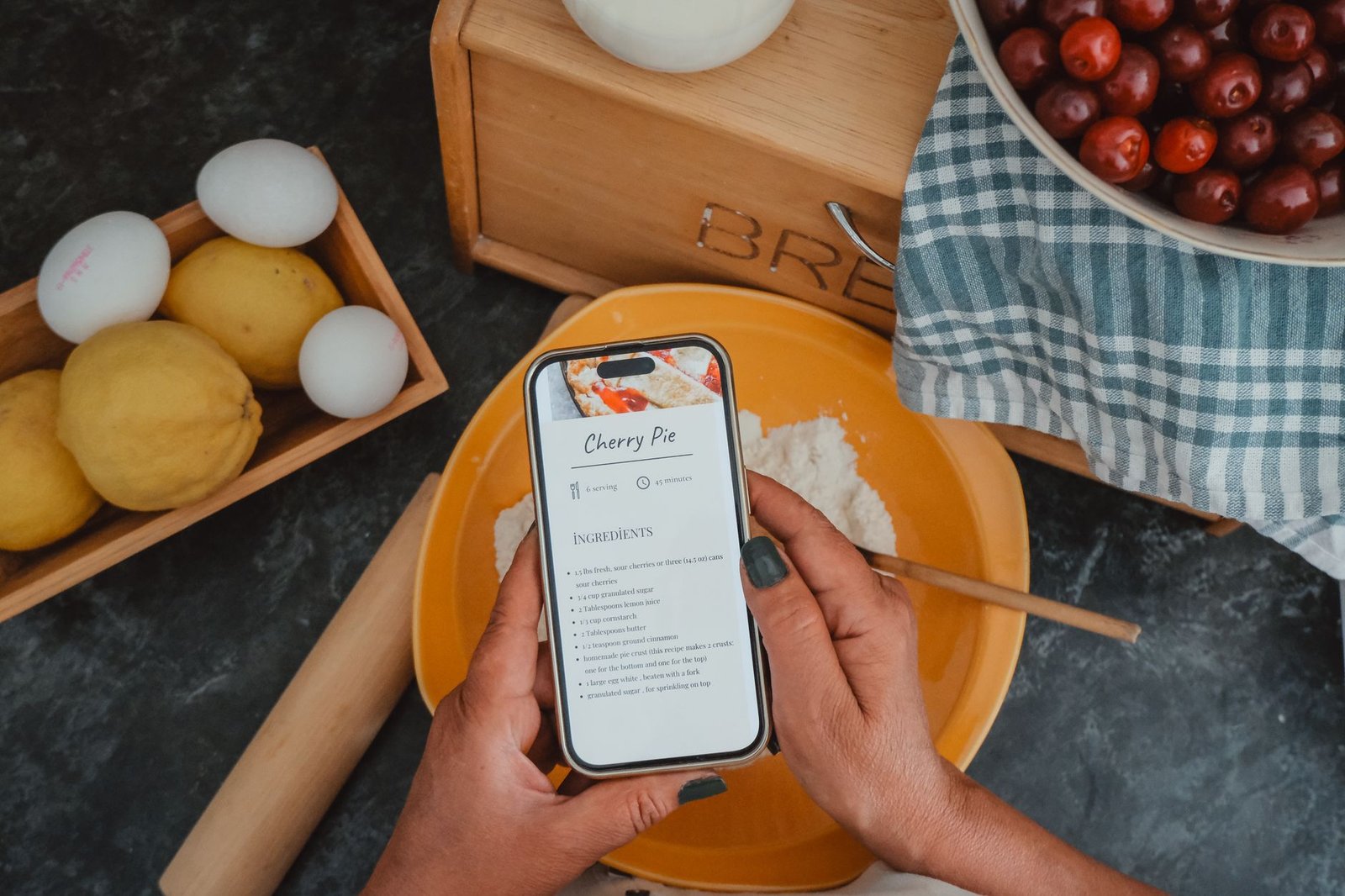
GPT-Live earns its keep in the moments when your hands are full and your brain isn’t. Think cooking, driving, walking, cleaning, working out, and any time you want to think out loud without typing.
Cooking is the obvious one and it’s genuinely better now. You’ve got raw chicken on your hands, you ask how long to rest it, and when it starts giving you the whole history of the recipe you just say “no, just the time” and it stops. That interruption is the entire feature.
Driving is the other big one, since it works through CarPlay. But the use I keep coming back to is the walk. Twenty minutes of walking and just talking through a problem out loud, with something that responds and asks a follow-up and doesn’t get bored. It’s the rubber-duck thing that programmers do, except the duck talks back.
Language practice deserves a mention too, because being able to interrupt and be interrupted is exactly what conversation practice requires, and it’s the thing every language app has always faked. If that’s your goal, it pairs well with the approach I laid out in my guide on practicing languages with AI conversation partners.
How to Turn It On

You mostly don’t have to. GPT-Live rolled out globally starting July 8 across iOS, Android, and ChatGPT.com, and it’s already the default voice model on the paid Go, Plus, and Pro plans. Free users get GPT-Live-1 mini, which is the smaller version of the same thing.
Just open the ChatGPT app and tap the voice icon. If your app hasn’t updated, go grab the update, because the rollout has been staged rather than instant.
One piece of practical advice: use it with headphones or AirPods the first time. Speakerphone in a noisy room technically works, since the model is better at ignoring background noise now, but the experience through headphones is where it clicks and you actually feel the difference.
✅ Try this first: Put in headphones, start a voice chat, and deliberately interrupt it mid-answer. That one moment tells you more about what changed than any review will, including this one.
The Honest Limitations
A voice model that’s always listening is, by definition, always listening. That’s not a bug, but it is a thing to be deliberate about.
It’s a microphone in your kitchen, your car, and your pocket, and the conversations you have with it are conversations you’re having with a company. I’m not telling you to be paranoid. I’m telling you to notice, and to not have your financial or medical conversations on speakerphone in a coffee shop with an AI that’s transcribing all of it. Check your data controls in ChatGPT’s settings and decide what you’re comfortable with.
The other honest caveat is that natural doesn’t mean correct. A model that says “mhmm” and interrupts you politely sounds like a person who knows what they’re talking about, and that feeling is doing a lot of work on your brain. It can still be confidently wrong. It’s just wrong in a much friendlier voice now, and that combination is worth staying alert to.
Also, voice and screen sharing don’t yet work together, and the free tier’s mini model is noticeably less capable than the paid one. Neither is a dealbreaker, but they’re the kind of thing the launch videos skip.
Common Questions About GPT-Live
What is GPT-Live?
GPT-Live is OpenAI’s new ChatGPT voice model, released July 8, 2026. It uses a full-duplex architecture, meaning it can listen and speak at the same time, so you can interrupt it mid-sentence, talk over it, and have a genuinely conversational back-and-forth instead of taking turns.
Is GPT-Live free?
Partly. GPT-Live-1 is the default voice model for paid ChatGPT plans including Go, Plus, and Pro. Free users get GPT-Live-1 mini, a smaller version of the same model, so free users get the full-duplex experience with less capability behind it.
How do I use GPT-Live?
Open the ChatGPT app on iOS or Android, or go to ChatGPT.com, and tap the voice icon. It rolled out globally starting July 8, 2026 and is on by default, so there is no setting to flip. Update your app if you do not see it, and use headphones for the best experience.
Can GPT-Live really be interrupted?
Yes, and that is the main point of the release. Because it processes your incoming audio while it is generating its own speech, it can stop the moment you cut in, rather than waiting for a gap in the audio. It can also give back-channel cues like “mhmm” while you are still talking.
If you wrote off ChatGPT voice a year ago because it felt like arguing with an answering machine, this is the version worth giving another twenty minutes. Take it on a walk.
Related reading: Practice Languages With AI Conversation Partners | The 2026 AI Assistant Stack | New to AI? Start here
WHO WROTE THIS
Moses Smith. I write Everyday AI for people who aren’t engineers. I go try the tools, then tell you honestly whether they were worth it. Sometimes the answer is no, and that’s kind of the point.
This blog is free and has no ads. If it saved you some time, you can buy me a coffee.







Leave a Reply